


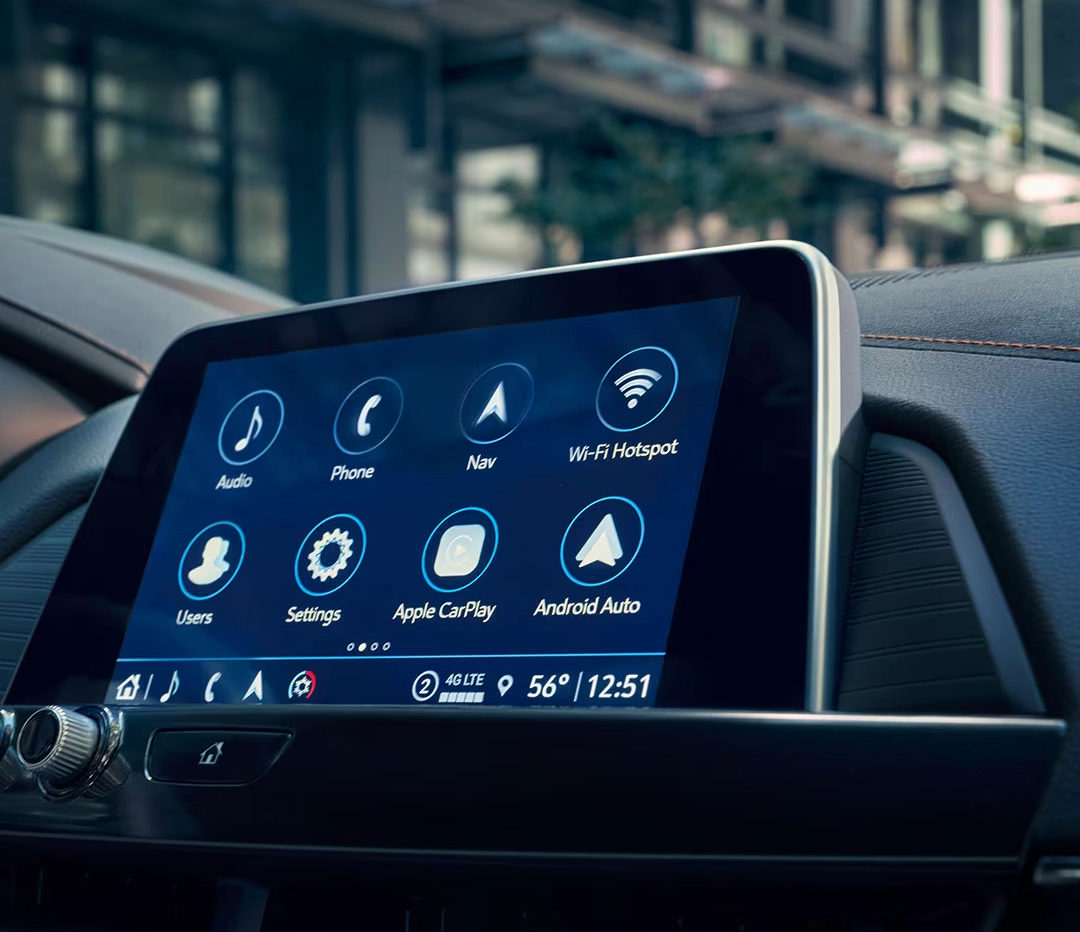
Getting your teen behind the wheel is a big milestone, but ensuring they drive safely is even more important. Luckily, Cadillac has your back with its Teen Driver settings, designed to help parents take control and set boundaries while encouraging responsible driving. Whether you’re cruising through Lake Wales, Waverly, or Highland Park, your Cadillac—like the CT4, CT5, CT5-V, or CT4-V—offers customizable features to keep your teen on track. From speed limiters to audio volume restrictions, setting up Teen Driver mode is a simple yet powerful way to safeguard your teen’s driving experience. Ready to set it up? Let’s walk you through the process. And if you need any help or want to learn more, don’t hesitate to visit us at Huston Cadillac or give us a call!
How to Configure Your Cadillac’s Teen Driver Settings
When you set up Teen Driver settings in your Cadillac, you gain the ability to customize key safety features to help your teen stay safe on the road. These settings are available across models like the CT4, CT5, CT5-V, and CT4-V, ensuring that no matter which Cadillac you drive, you can tailor these features to suit your teen’s driving habits. Here’s a quick look at how to configure Cadillac Teen Driver settings and enforce Cadillac driver restrictions.
Step 1: Set Your Key Fob as the Teen Driver Key
The first step to activating Cadillac Teen Mode is registering the key fob designated for your teen driver. Here’s how:
- Start the vehicle and ensure it’s in PARK.
- Navigate to the Settings menu on the infotainment system.
- Select “Vehicle” and then choose “Teen Driver.”
- Create a four-digit PIN to prevent your teen from changing any of the settings or deleting the data.
- Register the key fob as the Teen Driver key. Follow the on-screen prompts.
Once you’ve done this, all Teen Driver settings will activate each time your teen uses the designated key fob.
Step 2: Customize the Key Features
Now, you’re ready to configure key features for safety, convenience, and peace of mind. You can adjust the following settings:
- Audio Volume Limit:
- Set a maximum volume for the radio or streaming device.
- This helps prevent distractions while driving.
- Speed Warning:
- Set a warning when your teen exceeds a certain speed (between 40 mph and 75 mph).
- A notification will appear on the Driver Information Center (DIC), along with an audible chime.
- Speed Limiter:
- Limit the vehicle’s top speed to 85 mph.
- On certain models, such as the CT5-V, this also reduces acceleration when activated.
- Buckle to Drive:
- Ensure your teen cannot shift out of PARK until their seatbelt is fastened.
- This feature is often always ON when Cadillac Teen Mode is active.
- SiriusXM® Station Filter (If Equipped):
- Filter out explicit content from SiriusXM Radio, ensuring that your teen is only listening to appropriate stations.
Step 3: Explore Additional Settings and Features
Some features work in the background to keep your teen safe and focused:
- Audio Mute and Seatbelt Detection:
- If your teen or a passenger doesn’t buckle up, the audio system will remain muted until the seatbelt is fastened.
- Low Fuel Warnings:
- The low fuel light will flash, and the warning message cannot be dismissed. This ensures your teen stays aware of fuel levels.
- Permanent Safety Features:
- Systems like Adaptive Cruise Control and Forward Collision Alert are always active when Teen Driver settings are engaged. These features can’t be changed.
By customizing these settings, you’re not only making your teen’s driving safer but also giving yourself peace of mind as they drive around areas like Waverly or Highland Park. The Cadillac Teen Driver settings are designed to be simple yet effective, ensuring a safer driving experience in your CT4, CT5, CT5-V, or CT4-V.
Additional Teen Driver Features for Enhanced Safety
In addition to the core Teen Driver settings, Cadillac offers several features designed to enhance safety for new drivers. These settings work together to give parents peace of mind while their teens drive the CT4, CT5, CT5-V, or CT4-V. Whether you’re in Lake Wales, Waverly, or Highland Park, these features ensure that your teen is driving safely and responsibly.
Seatbelt and Audio Control
One of the first safety measures you’ll notice with Cadillac Teen Mode is the seatbelt and audio control. If your teen or a passenger doesn’t buckle up, the vehicle’s audio system will remain muted. This serves as a reminder to fasten their seatbelt before they start driving.
- Seatbelt Detection:
- Mutes the audio until the seatbelt is secured.
- Prevents distractions and encourages good driving habits.
Low Fuel Warnings
Cadillac Teen Driver settings also include a Low Fuel Warning feature. This ensures that your teen stays aware of the vehicle’s fuel level.
- Low Fuel Light:
- Flashing light indicates that fuel is low.
- The warning cannot be turned off, making sure your teen stays focused on refueling when needed.
Permanent Safety Features
Some features are always active when Teen Driver mode is turned on. These systems work behind the scenes to help prevent accidents and encourage responsible driving. Even when the settings are adjusted for Teen Driver, the following features remain active:
- Adaptive Cruise Control
- Keeps a safe distance from other vehicles.
- Can’t be deactivated while Teen Driver is active.
- Forward Collision Alert
- Alerts your teen if they are getting too close to a vehicle ahead.
- Promotes safe driving habits by helping to prevent rear-end collisions.
Vehicle Acceleration and Speed Limiting
When Teen Mode is active, Cadillac places restrictions on acceleration and top speed. This ensures that your teen doesn’t push the vehicle beyond safe limits.
- Speed Limiter:
- Limits the vehicle’s top speed to 85 mph.
- Available in models like the CT5-V for added safety.
- Acceleration Restrictions:
- Some vehicles, including the CT4 and CT5, limit acceleration when Teen Driver mode is engaged.
- Helps prevent risky driving behavior by limiting how quickly the vehicle can accelerate.
By taking full advantage of these additional features, you can ensure that your teen is driving responsibly. Cadillac’s Teen Driver settings are designed with your teen’s safety in mind, and these extra safety features provide an added layer of protection.
The Cadillac Teen Driver Report Card: How to Track Your Teen’s Driving Behavior
One of the most valuable features of Cadillac Teen Driver settings is the Teen Driver Report Card. This tool allows you to track your teen’s driving habits, helping you understand their behavior behind the wheel. Available on vehicles like the CT4, CT5, CT5-V, and CT4-V, the report card gives you a clear picture of how well your teen is following safety guidelines.
How to Access the Report Card
To access the Teen Driver Report Card, simply use your PIN to unlock the settings through the infotainment system. Once you’re in, you can select the “View Report Card” option. This provides a detailed summary of your teen’s driving habits.
- PIN Protection:
- Keeps the report secure and ensures only you can view it.
- Easy Access:
- Available through your vehicle’s infotainment screen.
- Clear and easy-to-read report summary.
What’s Included in the Report Card
The Cadillac Teen Driver Report Card tracks several aspects of your teen’s driving behavior. Here are the key areas it covers:
- Distance Driven:
- Total miles your teen has driven.
- Maximum Speed:
- Shows the highest speed your teen reached.
- Helps ensure they aren’t pushing the limits.
- Overspeed Warnings:
- Alerts when your teen exceeds the speed limits you’ve set.
- Lets you know if they’ve been driving too fast.
- Pedal Usage:
- Tracks how often your teen floors the accelerator.
- Provides insight into how aggressively they drive.
- Triggered Safety Systems:
- Tracks when features like Forward Collision Alert or Traction Control were activated.
- Helps you see when safety systems are working to keep them safe.
Why is Your Teen’s Driving Report Card Important?
The report card offers more than just numbers. It allows you to have meaningful conversations with your teen about their driving habits. With Cadillac driver restrictions in place, this feature helps you ensure they are practicing safe driving.
By using the Teen Driver Report Card, you can see where your teen may need additional guidance. You’ll have the information needed to discuss things like speed limits, safe acceleration, and maintaining a safe distance from other vehicles. This is especially important in models like the CT4 and CT5-V, which offer higher performance and speed capabilities.
In the end, the Teen Driver Report Card not only helps track their progress but also promotes safer driving habits.
How do I access and configure teen driver settings in a 2025 Cadillac?
To access and configure Teen Driver settings in a 2025 Cadillac, start by navigating to the “Settings” menu on the infotainment system. Select “Vehicle,” then “Teen Driver.” From there, you can register a key fob as the Teen Driver key and set up a four-digit PIN for security. You’ll also be able to adjust specific features such as speed limits, audio volume limits, and more.
What restrictions and features are available under the teen driver settings?
Cadillac Teen Driver settings offer several restrictions and features designed to enhance safety, such as:
- Audio Volume Limit: Sets a maximum volume for the audio system to avoid distractions.
- Speed Limiter: Limits the car’s top speed (up to 85 mph).
- Speed Warning: Alerts when the vehicle exceeds a set speed.
- Buckle to Drive: Prevents the vehicle from shifting out of PARK until the seatbelt is fastened.
- SiriusXM® Station Filter: Restricts access to explicit content on satellite radio.
- Driver Assistance Systems: Certain systems, like Forward Collision Alert, cannot be deactivated when Teen Driver mode is active.
How can teen driver settings enhance safety for young drivers in a Cadillac?
Teen Driver settings enhance safety by restricting certain vehicle functions and providing real-time feedback. Features like the speed limiter and speed warning ensure your teen drives within safe limits, while the Buckle to Drive feature prevents the vehicle from moving until seatbelts are fastened. Additionally, the report card feature allows parents to monitor driving behavior, encouraging safe habits and providing insight into areas for improvement.
Find Your Teen’s First Car at Huston Cadillac
Now that you know how to set up Teen Driver settings in your Cadillac, we invite you to explore our wide selection of vehicles at Huston Cadillac. Whether you’re interested in the sleek CT4, the luxurious CT5, or the high-performance CT5-V or CT4-V, we have something for every driver.
For those in Lake Wales, Waverly, Highland Park, or Alcoma, visit us and let us help you find the perfect Cadillac to fit your needs. If you want more information on Cadillac features or need help exploring vehicle options, we’re here to assist.
While you’re here, check out our blog on how to use remote start for your Cadillac, or learn about the key differences in Escalade ESV vs Suburban vs Yukon XL for 2025. You can even compare the Escalade vs Escalade ESV vs Escalade IQ to make sure you choose the right Cadillac SUV.
Start your search today by visiting our inventory of new Cadillac vehicles right here: New Cadillac Vehicles at Huston Cadillac. We look forward to helping you make the best choice for you and your family.
Connect with us


- July 2026
- June 2026
- May 2026
- February 2026
- January 2026
- November 2025
- October 2025
- September 2025
- August 2025
- July 2025
- June 2025
- May 2025
- April 2025
- March 2025
- February 2025
- January 2025
- December 2024
- November 2024
- October 2024
- September 2024
- August 2024
- July 2024
- June 2024
- May 2024
- April 2024
- March 2024
- February 2024
- January 2024
- December 2023
- November 2023
- October 2023
- September 2023
- August 2023
- June 2023
- May 2023
- March 2023
- February 2023
- January 2023
- December 2022
- November 2022
- October 2022
- September 2022
- August 2022
- July 2022
- May 2022
- April 2022
- March 2022
- January 2022
- December 2021
- November 2021
- October 2021
- September 2021
- July 2021
- June 2021
- May 2021
Archives