


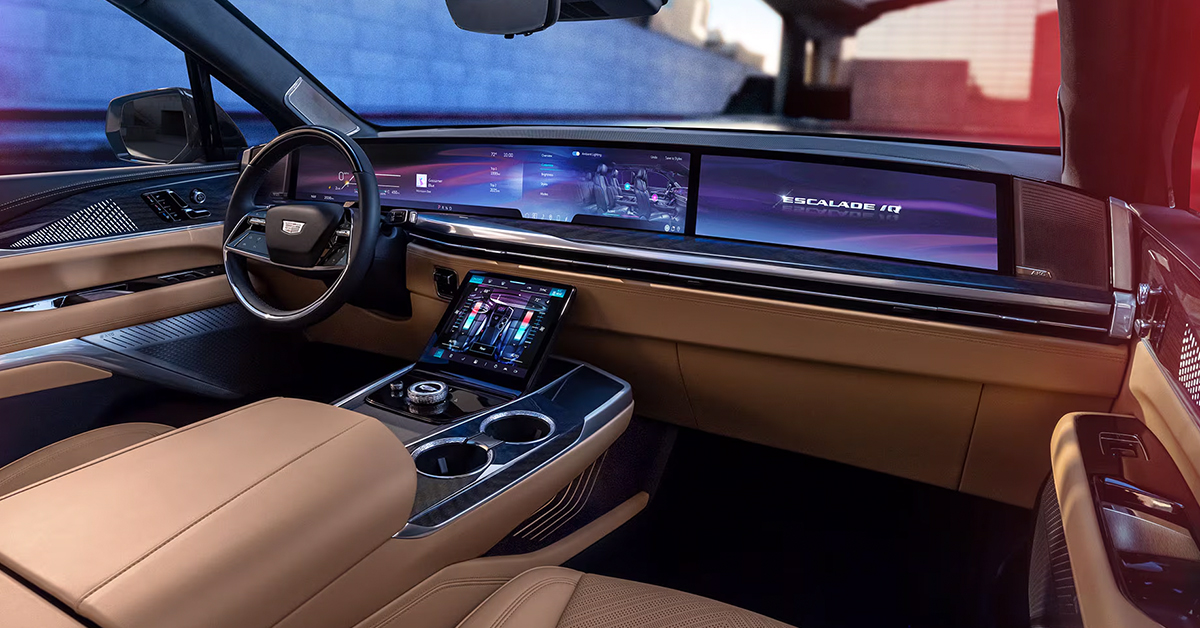
When it comes to personalizing your Cadillac, changing the dashboard colors is one of the easiest—and most exciting—ways to make your ride truly yours. Whether you’re behind the wheel of the sleek XT4, the versatile XT5, or the bold XT6, you have the power to transform your cabin’s atmosphere with just a few taps. From adjusting ambient lighting to selecting the perfect colors that suit your style, Cadillac’s customization options offer a unique touch to your driving experience. Ready to give your Cadillac a dash of personal flair? Keep reading to discover how to change your dashboard colors, and don’t hesitate to stop by or reach out to Huston Cadillac in Lake Wales for any questions or to explore our impressive selection of Cadillac models.
How to Adjust the Colors of Your Cadillac’s Dashboard
Adjusting your Cadillac’s dashboard ambient lighting is an easy way to enhance your driving experience. Whether you’re in the XT4, XT5, or XT6, the process is quick and straightforward. You can control the cabin’s lighting to match your mood and make your car feel more like home.
How to Adjust Ambient Lighting Using the App
For vehicles equipped with the ambient lighting app, the process is simple. Follow these steps:
- Tap the Ambient Lighting App icon on your infotainment screen.
- Select Custom to begin adjusting the lighting settings.
- Change the Accent lighting color to customize the light pipes throughout your cabin.
- Adjust the Glow lighting color for more focused, pin-spot lights.
- Control the brightness of your lighting to your desired level.
- Turn off the feature when you’re finished or leave it on for continuous ambiance.
How to Adjust Ambient Lighting Using the Settings Menu
Alternatively, you can adjust the lighting through the vehicle’s settings menu:
- Open Settings and select Vehicle.
- Tap Lighting to access the ambient lighting settings.
- Use the slider to control the brightness.
- Turn the lighting ON or OFF.
- Enable Demo Mode for a dynamic light show when your vehicle is parked.
- Use Link to Drive Mode to sync lighting with your driving style (if equipped).
These easy steps give you control over how your dashboard and cabin look, making it easy to personalize your vehicle’s atmosphere. Whether you’re cruising in the XT4, XT5, or XT6, these settings ensure that your cabin lighting always matches your style.
How to Adjust the Brightness of Your Cadillac’s Dashboard
When adjusting your Cadillac’s dashboard colors, brightness plays a key role in comfort. Too bright, and it may distract you. Too dim, and it can be hard to see your settings clearly. Luckily, Cadillac makes it easy to control the brightness of your dashboard lights for a smooth and personalized experience.
How to Adjust Brightness
You can adjust the brightness through two simple methods: the Settings menu or the Ambient Lighting app. Here’s how to do it:
- Through the Settings Menu:
- Go to Settings > Vehicle > Lighting.
- Use the slider to increase or decrease the brightness.
- Through the Ambient Lighting App:
- Tap the Ambient Lighting icon on your infotainment screen.
- Choose your desired brightness level by adjusting the slider.
Tips for Optimal Brightness
- Daytime Driving: If you’re driving in bright sunlight, increase the brightness for better visibility.
- Nighttime Driving: Lower the brightness to create a more relaxed, less distracting environment.
- Comfort Level: Adjust the brightness to match your comfort level based on your mood or the time of day.
With the 2025 Cadillac display settings, you can make sure your cabin’s lighting matches your needs, whether you’re on a scenic drive in your XT4 or enjoying a night cruise in your XT6. The ability to control both the color and brightness of your dashboard lights enhances the driving experience and makes every ride feel just right.
Key Features of Dashboard Customization
Here are the key customization options available for your Cadillac:
- Ambient Lighting: Change the lighting to match your mood. Choose from a variety of colors for the cabin’s light pipes and pin-spot lighting.
- Accent Colors: Select the perfect hue to highlight different areas of your dashboard.
- Brightness Control: Adjust the brightness to fit your needs. Whether you prefer a subtle glow or bright illumination, it’s all in your hands.
- Demo Mode: If you want a fun, dynamic light show while parked, you can activate Demo Mode for a special lighting experience.
- Link to Drive Mode: Some models allow your dashboard lighting to change based on the drive mode you’re in.
With these options, your Cadillac dashboard colors aren’t just about functionality—they’re a reflection of your personal style. Whether you’re cruising in the XT4, XT5, or XT6, the ability to adjust these settings lets you create an interior that’s as unique as you are.
Ready to customize? You can easily access these settings directly through the infotainment screen, putting all the control right at your fingertips. It’s just one more reason to love your Cadillac.
Choosing the Right Dashboard Colors for Your Cadillac
When it comes to dashboard customization, color is key. With Cadillac’s dashboard color options, you can make your driving experience feel unique and personal. Whether you’re driving an XT4, XT5, or XT6, the process of choosing the perfect color for your dashboard is easy and fun.
Why Dashboard Colors Matter
The colors you choose can change the mood inside your Cadillac. The right lighting can make the cabin feel calm, energetic, or luxurious. Choosing colors that match your personal style makes every drive more enjoyable.
Available Color Options
With the 2025 Cadillac display settings, there are several color options to choose from. Here are some of the most popular choices:
- Soft White: Creates a warm, relaxed atmosphere. Perfect for a calm drive.
- Blue: Offers a cool and serene feeling. Ideal for nighttime driving.
- Red: Adds energy and excitement. Great for those who love a bold look.
- Purple: Gives a luxurious and sophisticated vibe.
- Green: Creates a refreshing and natural ambiance.
How to Pick the Right Color
Your choice of color should depend on the mood you want to create. Here are a few things to consider:
- Time of Day: Soft whites or blues are great for nighttime drives, while bright colors like red and purple can add energy during the day.
- Interior Design: Choose a color that complements your vehicle’s interior. For example, pairing a cool blue with leather seats can add to the overall aesthetic.
- Personal Preference: Don’t be afraid to experiment! Choose a color that makes you feel comfortable and happy.
With Cadillac’s dash customization options, it’s easy to adjust the colors to fit your needs. You can switch between them at any time, so feel free to try different ones based on your mood or journey. Whether you’re in the XT4, XT5, or XT6, you have complete control over the cabin’s lighting and atmosphere.
Exploring Advanced Features: Demo Mode and Link to Drive Mode
Cadillac’s dashboard customization isn’t just about choosing colors. There are advanced features that can enhance your driving experience even further. Two of these features—Demo Mode and Link to Drive Mode—allow you to create a dynamic atmosphere in your vehicle. These options are available across models like the XT4, XT5, and XT6, offering even more control over your cabin’s lighting.
Demo Mode: A Fun Light Show
Demo Mode gives you a playful way to experience your vehicle’s lighting. When activated, this feature triggers a light show, highlighting the various dashboard colors and lighting options in a dynamic way. This is especially fun when you’re parked, as it showcases the full potential of your Cadillac’s interior.
How to Use Demo Mode
- Access it through your Cadillac’s settings.
- Turn it on to see the lighting shift and change in a dramatic, colorful display.
- Watch the different lights brighten and fade in a synchronized pattern.
Demo Mode is the perfect way to show off your Cadillac’s lighting capabilities and explore different color combinations.
Link to Drive Mode: Sync Lights with Your Driving Style
Link to Drive Mode takes things a step further by syncing the lighting with your driving. Depending on the drive mode you select—whether you’re in Sport, Tour, or another mode—the dashboard colors change automatically to match the setting.
How Link to Drive Mode Works
- When activated, the lighting shifts based on your selected driving mode.
- In Sport mode, expect vibrant, energetic colors like red or orange.
- In Tour mode, enjoy a calmer, more relaxed color palette such as blue or green.
This feature makes it easier than ever to match the mood of your drive, whether you’re cruising through Lake Wales in your XT6 or navigating through Highland Park in your XT4.
With these advanced features, Cadillac’s dashboard customization isn’t just about choosing a color—it’s about enhancing the entire driving experience.
How can I change the dashboard colors on my 2025 Cadillac?
You can change the dashboard colors on your 2025 Cadillac by using either the Ambient Lighting app or the Settings menu. Both options allow you to select from various colors to suit your preferences.
Are there preset color options or custom settings available for the dashboard?
Yes, there are both preset color options and custom settings available for your Cadillac’s dashboard. You can choose from a range of preset colors or customize the colors further through the app or Settings menu.
Does changing the dashboard colors affect other display settings in the vehicle?
Changing the dashboard colors does not directly affect other display settings in the vehicle. However, adjusting the colors may impact the visibility or contrast of other elements depending on the brightness settings you select.
Explore the Luxury of Cadillac at Huston Cadillac
At Huston Cadillac, we’re here to help you make the most of your driving experience, from customizing your dashboard colors to finding the perfect Cadillac for you. If you’re in Lake Wales, Waverly, Highland Park, or Alcoma, we invite you to explore our wide selection of vehicles, including the XT4, XT5, and XT6. These vehicles offer the perfect blend of luxury, style, and advanced features.
Want to learn more about why Cadillacs make great vehicles for Florida? You can dive deeper into some of our helpful content, such as Do Used Cadillacs Hold Value Well? or 5 Reasons Cadillacs Are the Best Luxury Vehicles for Living in Florida. If you’re ready to explore our new inventory, check out our collection online at Huston Cadillac New Inventory.
At Huston Cadillac, part of the Huston Automotive Group, we’re committed to offering you the best in both service and selection. Don’t hesitate to reach out for more information, whether you need help with dashboard customization or are interested in any of our stunning Cadillacs. We look forward to helping you make the perfect choice!
Connect with us


- July 2026
- June 2026
- May 2026
- February 2026
- January 2026
- November 2025
- October 2025
- September 2025
- August 2025
- July 2025
- June 2025
- May 2025
- April 2025
- March 2025
- February 2025
- January 2025
- December 2024
- November 2024
- October 2024
- September 2024
- August 2024
- July 2024
- June 2024
- May 2024
- April 2024
- March 2024
- February 2024
- January 2024
- December 2023
- November 2023
- October 2023
- September 2023
- August 2023
- June 2023
- May 2023
- March 2023
- February 2023
- January 2023
- December 2022
- November 2022
- October 2022
- September 2022
- August 2022
- July 2022
- May 2022
- April 2022
- March 2022
- January 2022
- December 2021
- November 2021
- October 2021
- September 2021
- July 2021
- June 2021
- May 2021
Archives