Blog

All Lake Wales, FL Cadillac Dealer About Huston Cadillac Certified Pre-Owned Cadillac Cadillac Financing Cadillac News Huston Cadillac Service Lake Wales, FL Cadillac Service Lakeland, FL Used Vehicles Winter Haven, FL Cadillac Vehicles Cadillac XT5 Lake Wales, FL Used Cars
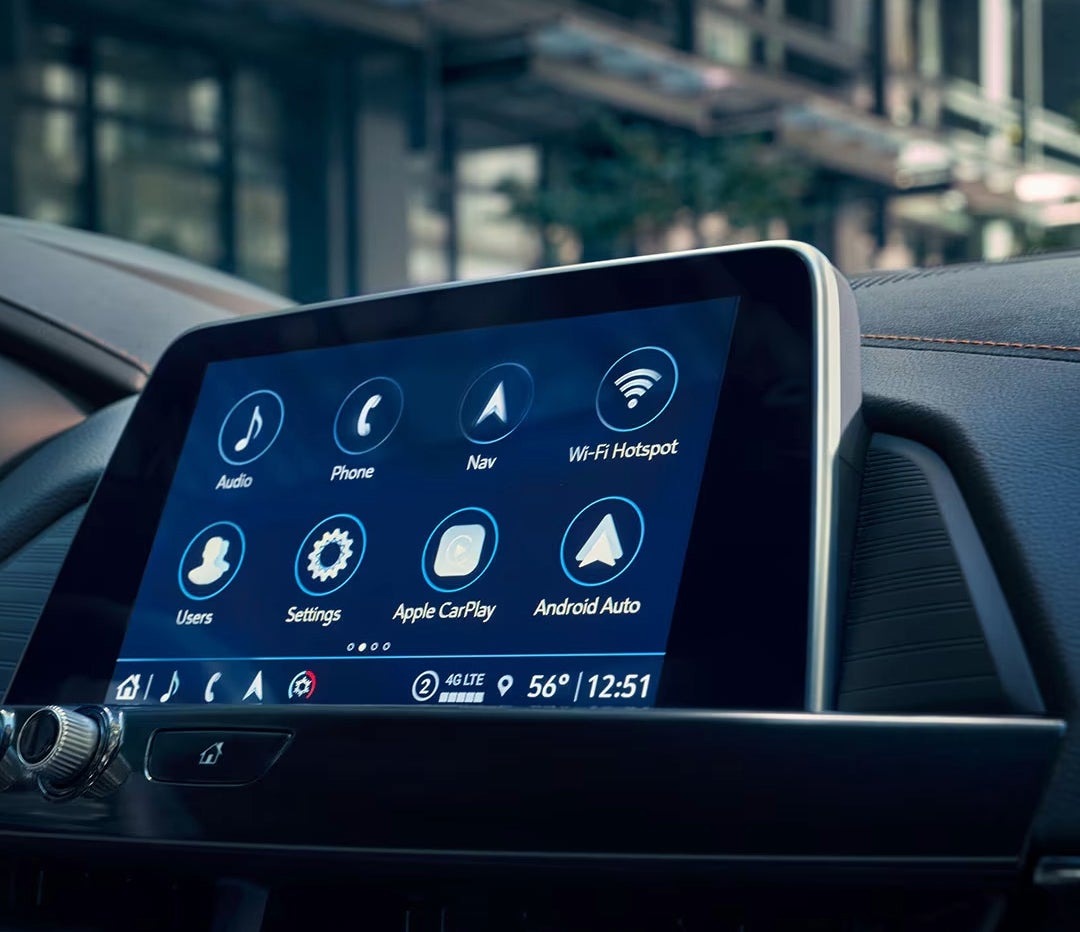
2025 Cadillac CT4 Display with Media Options in View

How to Set Up Teen Driver Settings on Your Cadillac

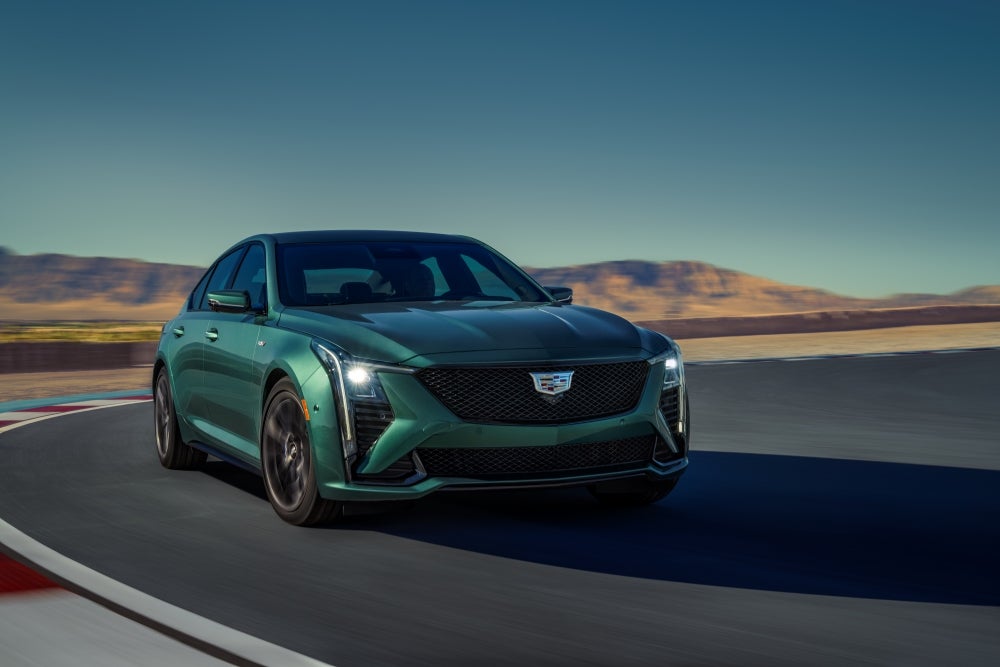
Getting your teen behind the wheel is a big milestone, but ensuring they drive safely is even more important. Luckily, Cadillac has your back with its Teen Driver settings, designed to help parents take control and set boundaries while encouraging responsible driving. Whether you’re cruising through Lake Wales, Waverly, or Highland Park, your Cadillac—like the CT4, CT5, CT5-V, or CT4-V —offers customizable features to keep your teen on track. From speed limiters to audio volume restrictions, setting up Teen Driver mode is a simple yet powerful way to safeguard your teen’s driving experience. Ready to set it up? Let’s walk you through the process. And if you need any help or want to learn more, don’t hesitate to visit us at Huston Cadillac or give us a call! How to Configure Your Cadillac's Teen Driver Settings When you set up Teen Driver settings in your Cadillac, you gain the ability to customize key safety features to help your teen stay safe on the road. These settings are available across models like the CT4, CT5, CT5-V, and CT4-V, ensuring that no matter which Cadillac you drive, you can tailor these features to suit your teen’s driving habits. Here’s a quick look at how to configure Cadillac Teen Driver settings and enforce Cadillac driver restrictions. Step 1: Set Your Key Fob as the Teen Driver Key The first step to activating Cadillac Teen Mode is registering the key fob designated for your teen driver. Here’s how: Start the vehicle and ensure it’s in PARK. Navigate to the Settings menu on the infotainment system. Select “Vehicle” and then choose “Teen Driver.” Create a four-digit PIN to prevent your teen from changing any of the settings or deleting the data. Register the key fob as the Teen Driver key. Follow the on-screen prompts. Once you’ve done this, all Teen Driver settings will activate each time your teen uses the designated key fob. Step 2: Customize the Key Features Now, you’re ready to configure key features for safety, convenience, and peace of mind. You can adjust the following settings: Audio Volume Limit: Set a maximum volume for the radio or streaming device. This helps prevent distractions while driving. Speed Warning: Set a warning when your teen exceeds a certain speed (between 40 mph and 75 mph). A notification will appear on the Driver Information Center (DIC), along with an audible chime. Speed Limiter: Limit the vehicle’s top speed to 85 mph. On certain models, such as the CT5-V, this also reduces acceleration when activated. Buckle to Drive: Ensure your teen cannot shift out of PARK until their seatbelt is fastened. This feature is often always ON when Cadillac Teen Mode is active. SiriusXM® Station Filter (If Equipped): Filter out explicit content from SiriusXM Radio, ensuring that your teen is only listening to appropriate stations. Step 3: Explore Additional Settings and Features Some features work in the background to keep your teen safe and focused: Audio Mute and Seatbelt Detection: If your teen or a passenger doesn’t buckle up, the audio system will remain muted until the seatbelt is fastened. Low Fuel Warnings: The low fuel light will flash, and the warning message cannot be dismissed. This ensures your teen stays aware of fuel levels. Permanent Safety Features: Systems like Adaptive Cruise Control and Forward Collision Alert are always active when Teen Driver settings are engaged. These features can’t be changed. By customizing these settings, you’re not only making your teen’s driving safer but also giving yourself peace of mind as they drive around areas like Waverly or Highland Park. The Cadillac Teen Driver settings are designed to be simple yet effective, ensuring a safer driving experience in your CT4, CT5, CT5-V, or CT4-V. Additional Teen Driver Features for Enhanced Safety In addition to the core Teen Driver settings, Cadillac offers several features designed to enhance safety for new drivers. These settings work together to give parents peace of mind while their teens drive the CT4, CT5, CT5-V, or CT4-V. Whether you’re in Lake Wales, Waverly, or Highland Park, these features ensure that your teen is driving safely and responsibly. Seatbelt and Audio Control One of the first safety measures you’ll notice with Cadillac Teen Mode is the seatbelt and audio control. If your teen or a passenger doesn’t buckle up, the vehicle’s audio system will remain muted. This serves as a reminder to fasten their seatbelt before they start driving. Seatbelt Detection: Mutes the audio until the seatbelt is secured. Prevents distractions and encourages good driving habits. Low Fuel Warnings Cadillac Teen Driver settings also include a Low Fuel Warning feature. This ensures that your teen stays aware of the vehicle’s fuel level. Low Fuel Light: Flashing light indicates that fuel is low. The warning cannot be turned off, making sure your teen stays focused on refueling when needed. Permanent Safety Features Some features are always active when Teen Driver mode is turned on. These systems work behind the scenes to help prevent accidents and encourage responsible driving. Even when the settings are adjusted for Teen Driver, the following features remain active: Adaptive Cruise Control Keeps a safe distance from other vehicles. Can’t be deactivated while Teen Driver is active. Forward Collision Alert Alerts your teen if they are getting too close to a vehicle ahead. Promotes safe driving habits by helping to prevent rear-end collisions. Vehicle Acceleration and Speed Limiting When Teen Mode is active, Cadillac places restrictions on acceleration and top speed. This ensures that your teen doesn’t push the vehicle beyond safe limits. Speed Limiter: Limits the vehicle’s top speed to 85 mph. Available in models like the CT5-V for added safety. Acceleration Restrictions: Some vehicles, including the CT4 and CT5, limit acceleration when Teen Driver mode is engaged. Helps prevent risky driving behavior by limiting how quickly the vehicle can accelerate. By taking full advantage of these additional features, you can ensure that your teen is driving responsibly. Cadillac’s Teen Driver settings are designed with your teen’s safety in mind, and these extra safety features provide an added layer of protection. The Cadillac Teen Driver Report Card: How to Track Your Teen's Driving Behavior One of the most valuable features of Cadillac Teen Driver settings is the Teen Driver Report Card. This tool allows you to track your teen's driving habits, helping you understand their behavior behind the wheel. Available on vehicles like the CT4, CT5, CT5-V, and CT4-V, the report card gives you a clear picture of how well your teen is following safety guidelines. How to Access the Report Card To access the Teen Driver Report Card, simply use your PIN to unlock the settings through the infotainment system. Once you're in, you can select the “View Report Card” option. This provides a detailed summary of your teen's driving habits. PIN Protection: Keeps the report secure and ensures only you can view it. Easy Access: Available through your vehicle’s infotainment screen. Clear and easy-to-read report summary. What’s Included in the Report Card The Cadillac Teen Driver Report Card tracks several aspects of your teen’s driving behavior. Here are the key areas it covers: Distance Driven: Total miles your teen has driven. Maximum Speed: Shows the highest speed your teen reached. Helps ensure they aren’t pushing the limits. Overspeed Warnings: Alerts when your teen exceeds the speed limits you’ve set. Lets you know if they’ve been driving too fast. Pedal Usage: Tracks how often your teen floors the accelerator. Provides insight into how aggressively they drive. Triggered Safety Systems: Tracks when features like Forward Collision Alert or Traction Control were activated. Helps you see when safety systems are working to keep them safe. Why is Your Teen's Driving Report Card Important? The report card offers more than just numbers. It allows you to have meaningful conversations with your teen about their driving habits. With Cadillac driver restrictions in place, this feature helps you ensure they are practicing safe driving. By using the Teen Driver Report Card, you can see where your teen may need additional guidance. You’ll have the information needed to discuss things like speed limits, safe acceleration, and maintaining a safe distance from other vehicles. This is especially important in models like the CT4 and CT5-V, which offer higher performance and speed capabilities. In the end, the Teen Driver Report Card not only helps track their progress but also promotes safer driving habits. How do I access and configure teen driver settings in a 2025 Cadillac? To access and configure Teen Driver settings in a 2025 Cadillac, start by navigating to the "Settings" menu on the infotainment system. Select "Vehicle," then "Teen Driver." From there, you can register a key fob as the Teen Driver key and set up a four-digit PIN for security. You’ll also be able to adjust specific features such as speed limits, audio volume limits, and more. What restrictions and features are available under the teen driver settings? Cadillac Teen Driver settings offer several restrictions and features designed to enhance safety, such as: Audio Volume Limit: Sets a maximum volume for the audio system to avoid distractions. Speed Limiter: Limits the car’s top speed (up to 85 mph). Speed Warning: Alerts when the vehicle exceeds a set speed. Buckle to Drive: Prevents the vehicle from shifting out of PARK until the seatbelt is fastened. SiriusXM® Station Filter: Restricts access to explicit content on satellite radio. Driver Assistance Systems: Certain systems, like Forward Collision Alert, cannot be deactivated when Teen Driver mode is active. How can teen driver settings enhance safety for young drivers in a Cadillac? Teen Driver settings enhance safety by restricting certain vehicle functions and providing real-time feedback. Features like the speed limiter and speed warning ensure your teen drives within safe limits, while the Buckle to Drive feature prevents the vehicle from moving until seatbelts are fastened. Additionally, the report card feature allows parents to monitor driving behavior, encouraging safe habits and providing insight into areas for improvement. Find Your Teen's First Car at Huston Cadillac Now that you know how to set up Teen Driver settings in your Cadillac, we invite you to explore our wide selection of vehicles at Huston Cadillac. Whether you're interested in the sleek CT4, the luxurious CT5, or the high-performance CT5-V or CT4-V, we have something for every driver. For those in Lake Wales, Waverly, Highland Park, or Alcoma, visit us and let us help you find the perfect Cadillac to fit your needs. If you want more information on Cadillac features or need help exploring vehicle options, we’re here to assist. While you're here, check out our blog on how to use remote start for your Cadillac, or learn about the key differences in Escalade ESV vs Suburban vs Yukon XL for 2025. You can even compare the Escalade vs Escalade ESV vs Escalade IQ to make sure you choose the right Cadillac SUV. Start your search today by visiting our inventory of new Cadillac vehicles right here: New Cadillac Vehicles at Huston Cadillac. We look forward to helping you make the best choice for you and your family.
Cadillac ESV

Escalade ESV vs Suburban vs Yukon XL: Key Differences in GM SUVs [2025]

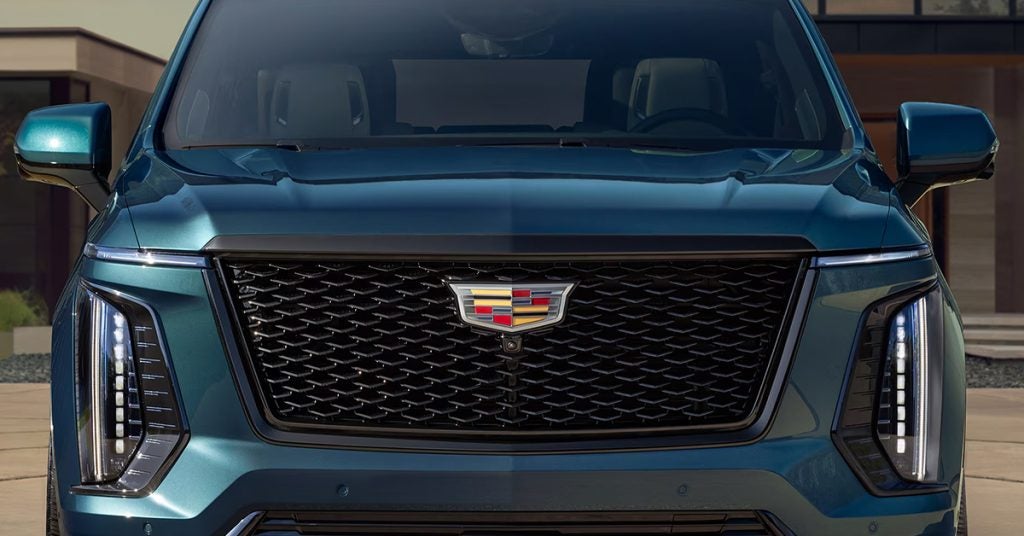
When it comes to full-size SUVs, the 2025 Cadillac Escalade ESV, GMC Yukon XL, and Chevrolet Suburban are at the top of the game – each offering impressive power, luxury, and space. But with so many similarities, how do you decide which one is right for you? The Escalade ESV sets the bar for performance and refinement, standing out with its bold design and cutting-edge technology. Meanwhile, the Yukon XL and Suburban offer rugged reliability and practicality, but they can't quite match the luxury that comes standard with the Escalade. Ready to find out how these three GM giants compare? Keep reading to dive into the key differences and discover why the Cadillac Escalade ESV could be your perfect fit. And don’t forget, Huston Cadillac is here to help you explore your options – visit us today or contact us to schedule a test drive! New Cadillac Vehicles Get Directions Contact Us Performance: Power Under the Hood When it comes to performance, the 2025 Cadillac Escalade ESV, GMC Yukon XL, and Chevrolet Suburban offer plenty of muscle. However, each SUV brings something unique to the table. The Escalade ESV stands out with its refined power, while the Yukon XL and Suburban focus on solid, dependable strength. Let’s break it down. Cadillac Escalade ESV: Power and Luxury Combined The 2025 Escalade ESV delivers top-tier performance with two engine options that are sure to impress. Whether you want a powerful V8 or the efficiency of a diesel engine, the Escalade has you covered. Here’s what you can expect: 1. Standard Engine: 6.2L V8 (420 horsepower / 460 lb-ft of torque) 2. Available Engine Options: 6.2L V8 (682 horsepower / 653 lb-ft of torque) Duramax® 3.0L Turbo-Diesel I-6 (305 horsepower / 495 lb-ft of torque) With these engine choices, the Escalade ESV offers both power and refinement, allowing you to glide down the highway or tackle tough terrain with ease. Whether you’re cruising Lake Wales or heading out to Waverly, the Escalade ensures a smooth, powerful ride every time. GMC Yukon XL: Strong and Dependable The 2025 GMC Yukon XL offers a solid engine lineup with the reliability you expect from a GMC. While it doesn’t have the sheer luxury of the Escalade ESV, it still provides plenty of muscle to get the job done. Here’s what the Yukon XL has to offer: 1. Standard Engine: 5.3L EcoTec3 V8 (355 horsepower / 383 lb-ft of torque) 2. Available Engine Options: 6.2L EcoTec3 V8 (420 horsepower / 460 lb-ft of torque) Duramax® 3.0L Turbo-Diesel I-6 (305 horsepower / 495 lb-ft of torque) While the Yukon XL isn’t quite as powerful as the Escalade ESV, it’s more than capable of handling daily driving and family adventures. Chevrolet Suburban: Built for Power The 2025 Chevrolet Suburban continues its legacy of being a full-size SUV that blends power with practicality. With its robust engines, the Suburban is ideal for those who need space and capability, but it doesn’t quite match the Escalade in terms of luxury features. Here’s what you’ll find under the hood: 1. Standard Engine: 5.3L EcoTec3 V8 (355 horsepower / 383 lb-ft of torque) 2. Available Engine Options: 6.2L EcoTec3 V8 (420 horsepower / 460 lb-ft of torque) Duramax® 3.0L Turbo-Diesel I-6 (305 horsepower / 495 lb-ft of torque) The Suburban delivers strong performance, but without the premium touches that make the Escalade ESV a standout. Why Choose the Escalade ESV for Performance? If you’re looking for power, sophistication, and a smooth drive, the Escalade ESV is hard to beat. It delivers more horsepower and torque compared to both the Yukon XL and Suburban, making it the best choice for those who want the ultimate performance. With the Cadillac Escalade ESV, you’re not just getting an SUV—you’re investing in a luxury experience. Looking for Cadillac cars for sale near you? Visit Huston Cadillac, your trusted Cadillac dealer. Explore the Escalade ESV and find the right option for your needs today. And don’t forget, our Cadillac service department is here to keep your vehicle running smoothly for years to come. Cutting-Edge Technology: Infotainment and Driver Assistance In today’s world, technology in your vehicle is just as important as performance. The 2025 Cadillac Escalade ESV, GMC Yukon XL, and Chevrolet Suburban offer innovative features that make every drive easier and more enjoyable. However, the Escalade ESV takes the lead in technology with a suite of premium features that cater to both entertainment and safety. Cadillac Escalade ESV: Technology That Elevates Your Drive The Escalade ESV is a leader in luxury SUV technology. From its advanced infotainment system to its cutting-edge driver assistance features, it makes every ride feel modern and safe. Here are some key highlights: Infotainment System: 13.2-inch OLED Display with vibrant colors and crystal-clear resolution Google Built-In for seamless voice control, navigation, and apps Wireless Apple CarPlay® and Android Auto® for easy phone integration Bose® Performance Series Audio for premium sound quality Driver Assistance Features: Super Cruise™ with hands-free driving on compatible highways Surround Vision Camera System for a 360-degree view of your surroundings Adaptive Cruise Control to maintain a safe distance from other vehicles Automatic Emergency Braking to help prevent collisions The Escalade ESV offers a combination of entertainment and safety features that is hard to beat. GMC Yukon XL: High-Tech But Practical While the GMC Yukon XL offers great technology, it doesn’t match the Escalade in terms of premium features. Still, it delivers solid infotainment and safety tech that can meet your needs: Infotainment System: 10.2-inch Touchscreen with fast response and clear interface Apple CarPlay® and Android Auto® support for phone integration Bose® Premium Audio for a good sound experience Driver Assistance Features: Lane Change Alert with Side Blind Zone Alert Rear Cross Traffic Alert for added safety when reversing Forward Collision Alert to help detect potential collisions While the Yukon XL does include impressive tech, it’s not as advanced as the Escalade ESV’s offerings. Chevrolet Suburban: Solid Technology at a Great Value The 2025 Chevrolet Suburban is built for families, offering technology that’s reliable but not as high-tech as the Escalade or Yukon XL. Here’s what you can expect: Infotainment System: 10.2-inch Touchscreen for easy access to apps and controls Apple CarPlay® and Android Auto® for phone syncing Premium Sound System for great audio quality Driver Assistance Features: Forward Collision Alert to warn about potential hazards Lane Keep Assist to help you stay centered in your lane Rear Park Assist for safe parking and backing The Suburban’s tech features are practical but lack the premium edge of the Escalade ESV. Why Choose the Escalade ESV for Technology? When it comes to infotainment and driver assistance, the Escalade ESV is in a class of its own. With a stunning display, premium sound, and hands-free driving, it offers a truly elevated experience. The advanced safety tech ensures you feel secure on every journey, making it the top choice for those who want the best in modern technology. Looking for Cadillac cars for sale? Visit Huston Cadillac to explore the latest Escalade ESV models. Our Cadillac service department is here to ensure your vehicle stays in top condition. Come experience technology at its best! Luxury and Comfort: Interior Refinement When it comes to luxury SUVs, comfort and interior refinement make all the difference. The 2025 Cadillac Escalade ESV, GMC Yukon XL, and Chevrolet Suburban each offer spacious and well-appointed cabins. However, the Escalade ESV stands apart with its unmatched luxury and attention to detail, making every drive feel like a first-class experience. Cadillac Escalade ESV: Where Every Detail Counts The Escalade ESV is a top-tier luxury SUV, offering an interior that blends cutting-edge technology with exquisite comfort. Here are some of the key features: Seating: Premium Leather Upholstery for ultimate comfort Heated and Ventilated Seats for both front and rear passengers Massaging Seats for a relaxing ride on long journeys Space and Comfort: Generous Legroom for all passengers, even in the third row Panoramic Sunroof for an open, airy feel inside the cabin Tri-Zone Climate Control for personalized temperature settings Interior Materials: Authentic Wood Trim for a luxurious touch Suede and Leather Accents for added elegance Soft-Touch Surfaces throughout the cabin for a refined feel The Escalade ESV sets a new standard for luxury, offering the perfect balance of style and comfort. GMC Yukon XL: Spacious and Practical, But Less Luxe The GMC Yukon XL offers a spacious cabin, but it doesn’t quite reach the same level of luxury as the Escalade. Still, it provides comfort and a well-appointed interior with the following features: Seating: Premium Cloth or Leather Upholstery options Heated Front Seats for added warmth on colder days Power-adjustable Seats for easy customization Space and Comfort: Ample Cargo Space for family trips or weekend getaways Tri-Zone Climate Control for different temperature preferences Heated Second-Row Seats for added comfort Interior Materials: Soft-touch Materials throughout most of the cabin Metal Accents for a modern, upscale look Though the Yukon XL offers plenty of room and comfort, its materials and finishes don't have the same level of refinement as the Escalade ESV. Chevrolet Suburban: Practical Yet Comfortable The Chevrolet Suburban is a reliable and comfortable family SUV, but it doesn’t deliver the same luxury as the Escalade or Yukon XL. Here’s what you can expect: Seating: Cloth or Leather Seating for the front and second rows Heated Seats for the front passengers Adjustable Seats to ensure comfort for drivers of all sizes Space and Comfort: Spacious Cabin with room for up to nine passengers Rear Air Conditioning for second- and third-row comfort Large Cargo Area for family trips or gear Interior Materials: Durable Materials designed for families and everyday use Hard-Plastic and Soft-touch Surfaces in key areas The Suburban’s cabin is more focused on practicality than luxury, making it a solid choice for larger families but less suited for those seeking a refined experience. Why Choose the Escalade ESV for Luxury and Comfort? The Escalade ESV offers an unrivaled level of luxury, with its spacious interior, high-quality materials, and advanced comfort features. It’s a perfect choice for those who want the ultimate driving experience. The attention to detail in the Escalade ESV’s cabin ensures you’ll feel pampered on every drive, whether you’re commuting or embarking on a long journey. Looking for Cadillac cars for sale? Visit Huston Cadillac to experience the exceptional interior of the Escalade ESV. Our Cadillac service department is ready to ensure your vehicle stays in perfect condition. Come see the difference that true luxury makes! Design and Aesthetics: Exterior Styling When it comes to luxury SUVs, exterior design is more than just looks; it’s about making a statement. The 2025 Cadillac Escalade ESV, GMC Yukon XL, and Chevrolet Suburban each have their unique style, but the Escalade ESV stands out with its bold and sophisticated design. Let’s take a closer look at what makes the exterior styling of these SUVs so remarkable. Cadillac Escalade ESV: A Bold Statement on the Road The Escalade ESV turns heads wherever it goes. Its striking exterior is crafted with precision and attention to detail, making it a true luxury SUV. Here’s what you can expect: Bold Front Grille: A signature Cadillac design that commands attention. Sleek LED Headlights: Stylish and efficient, these lights ensure visibility and elegance. Sharp Lines and Angles: The vehicle’s sculpted body adds a dynamic, modern look. Chrome Accents: These subtle touches highlight its premium status. The Escalade ESV is designed to be seen. It’s an SUV that blends luxury with power, making every road trip feel like an event. GMC Yukon XL: Strong, Yet Practical The Yukon XL has a strong, imposing presence, but its design is more practical than flashy. It’s built to be functional, with a focus on utility and strength. Key design features include: Bold Front Grille: The Yukon XL’s grille is tough and rugged, perfect for a workhorse SUV. LED Signature Lighting: Bright, clear lighting that helps define its appearance. Straightforward Design: The body is clean and simple, offering a no-nonsense look. Sturdy Wheels: Larger wheels for a more aggressive stance. While the Yukon XL’s design is powerful, it doesn’t have the same finesse and refinement that the Escalade ESV offers. Chevrolet Suburban: Practical and Dependable The Chevrolet Suburban is a trusted, practical SUV with an exterior that speaks to its rugged dependability. Its design is simpler than that of the Escalade ESV or Yukon XL, but it’s still stylish. Here’s what stands out: Simple Grille Design: The Suburban’s grille is large and bold, but not overly flashy. Modern LED Headlights: These lights offer a clean, modern look. Sculpted Body Panels: The Suburban’s sides feature subtle lines that enhance its profile. Functional Design: More about practicality than luxury, with a focus on ease of use. While the Suburban is dependable and solid, it doesn’t offer the same luxury feel as the Escalade ESV. It’s more about functionality than high-end aesthetics. Why the Escalade ESV Stands Out? The Escalade ESV’s exterior styling makes it a true luxury SUV. It combines bold design with fine details that create an unforgettable presence on the road. If you’re looking for an SUV that not only performs well but also looks stunning, the Escalade ESV is the clear winner. Looking to make a statement with your next luxury SUV? Visit Huston Cadillac to explore our Cadillac cars for sale. Our Cadillac service department is here to keep your vehicle looking as good as it drives. Experience the difference in design today! Trim Levels and Customization: Which Model Offers the Best Options? When shopping for a luxury SUV, customization is key. Each of these three models – the Escalade ESV, Yukon XL, and Suburban – offers a variety of trim levels, giving you plenty of options. Whether you prioritize performance, luxury, or technology, the right trim can take your driving experience to the next level. Let’s break down the options. Cadillac Escalade ESV: High-End Luxury and Customization The 2025 Cadillac Escalade ESV offers a range of trim levels designed to meet different tastes and needs. Cadillac knows luxury, and it shows in every option available. Here’s a closer look at what the Escalade ESV offers: Luxury Trim: Perfect for those who want upscale features without stepping into the top-tier trims. Includes leather seating, premium audio, and advanced tech. Premium Luxury Trim: Adds more comfort and convenience with ventilated seats, a hands-free liftgate, and more. Sport Trim: For those seeking a more performance-oriented look and feel, this trim offers a sportier design with blacked-out details and a more powerful engine option. Platinum Trim: The highest trim, offering every feature imaginable, from massaging seats to an upgraded sound system. Customization options are plentiful, and each trim brings its own set of luxurious upgrades, allowing you to make your Escalade ESV as unique as you are. Visit our Cadillac dealer to explore all the options available to you. GMC Yukon XL: Strong and Practical Choices The Yukon XL also offers various trims, but its focus is more on strength and practicality than pure luxury. It’s built for people who need space and power. Here are the trims you can choose from: SLE Trim: The base model offers solid features like an infotainment system and a powerful engine. SLT Trim: A step up with leather upholstery and enhanced tech options for a more comfortable ride. AT4 Trim: Designed for off-roading, with a more rugged look and capabilities. Denali Trim: The luxury option in the Yukon XL line, offering a more refined interior and additional tech. The Yukon XL provides fewer luxurious options compared to the Escalade ESV but is still a great choice for those seeking dependability and functionality. Chevrolet Suburban: Versatile and Practical The Chevrolet Suburban offers a mix of trims, with a focus on family-friendly practicality. While it’s not as refined as the Escalade ESV, it does offer great options for everyday use. The trim levels are as follows: LS Trim: The base model, which offers a good set of basic features like a touchscreen, a solid engine, and comfortable seating. LT Trim: Adds more convenience features, like a power-adjustable seat and better interior materials. RST Trim: A sportier version with sleek design touches and upgraded wheels. High Country Trim: The top-tier trim that comes with luxury features such as premium leather, an upgraded sound system, and more. Though the Suburban offers decent customization, it doesn’t offer the same level of luxury and refinement that you’ll find in the Escalade ESV. Which Model Offers the Best Options? If customization and luxury are top priorities for you, the Cadillac Escalade ESV is the clear choice. With its wide range of trim levels and luxurious features, you’ll be able to tailor your SUV to your exact preferences. Whether you’re interested in a high-end luxury model or a performance-focused design, the Escalade ESV has it all. Ready to explore your options? Visit Huston Cadillac to find Cadillac cars for sale that meet your needs. Our Cadillac service department is here to help keep your vehicle running smoothly and looking great. Come see us today! Are the dimensions of the Escalade ESV similar to the Suburban or Yukon XL? Yes, the dimensions of the Escalade ESV are quite similar to both the Suburban and Yukon XL. All three are full-size SUVs with extended lengths. However, the Escalade ESV offers a more refined design and slightly more premium interior space compared to the others. Which SUV tends to have better fuel economy? The GMC Yukon XL generally offers better fuel economy than the Escalade ESV and Suburban, with its base engine providing a balance between power and efficiency. The Escalade ESV offers a more powerful engine, which sacrifices some fuel economy for performance. The Suburban’s fuel economy is on par with the Escalade ESV but generally a bit less efficient than the Yukon XL. Do all three offer a standard third-row seat? Yes, all three SUVs — the Escalade ESV, Suburban, and Yukon XL — come with a standard third-row seat, making them ideal for large families or those needing additional passenger space. Find Your New Escalade at Huston Cadillac As you consider your next luxury SUV, the choice between the Escalade ESV, Suburban, and Yukon XL is a big decision. At Huston Cadillac, we understand that it’s not just about the vehicle, but about the experience you have while exploring your options. Whether you’re from Lake Wales, Waverly, Highland Park, or Alcoma, our team is ready to help you discover the perfect ride to suit your lifestyle. Explore our wide selection of vehicles, including the Escalade and Escalade ESV, and enjoy exceptional service with our Cadillac experts. Looking for a deal that suits your needs? Visit our new vehicle inventory to find the latest models. If you're wondering about how used Cadillacs hold value, or what makes them the best luxury vehicles for Florida, check out our related content on these topics. At Huston Cadillac, we’re part of the trusted Huston Automotive Group, ready to offer you a premium buying experience. Feel free to reach out to us for any questions or to schedule a test drive! Get Directions to Huston Cadillac Disclaimer: All information is provided for general informational and entertainment purposes only. While we strive for accuracy, we cannot guarantee that all content is complete, current, or error-free. Any reliance you place on such information is strictly at your own risk. This article may include opinions and is not endorsed by, or officially affiliated with, any vehicle manufacturer or brand. Always consult official sources – such as the vehicle’s owner’s manual, authorized dealerships, or certified professionals – for the most up-to-date and personalized information.

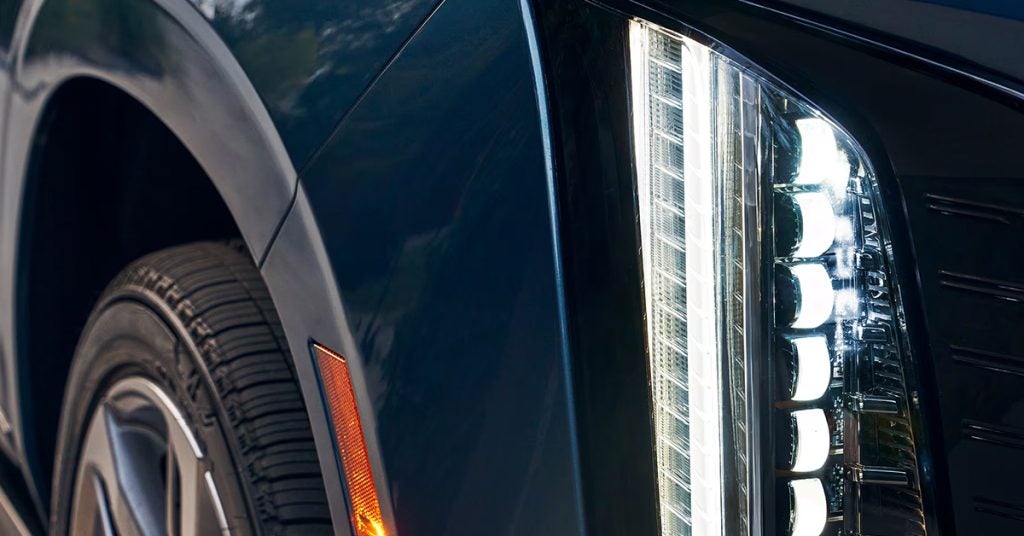
Cadillac Headlight

How to Use Remote Start for Your Cadillac

Imagine stepping outside on a chilly morning, ready to tackle the day, and finding your Cadillac already warmed up and ready to go. Or, picture yourself on a sweltering summer afternoon, with your vehicle cooling down before you even open the door. Sounds like a dream? It’s not—it’s the power of remote start in your Cadillac. This feature lets you control your car from a distance, offering both convenience and comfort. In this guide, we'll walk you through how to use remote start for your Cadillac, including key tips for your CT4-V and CT5-V models. Whether you're just getting to know your key fob or you're already a remote-start pro, we've got you covered. Ready to experience the convenience of a Cadillac that’s ready when you are? Visit Huston Cadillac in Lake Wales today or contact us for more information on how to make the most of your vehicle's features! Getting Familiar with Your Cadillac Key Fob To make the most of your Cadillac's remote start feature, it’s important to first understand the Cadillac key fob. This small device is packed with power, giving you the ability to control your car from a distance. Let’s break down what your key fob can do, and how it helps you use remote start with ease. Key Features of Your Cadillac Key Fob: Unlock/Lock: With just one press, you can lock or unlock your car. Remote Start: This is your golden ticket to starting your car without ever touching the door handle. Panic Button: In case of emergency, this button activates your car’s alarm. Trunk Release: Open the trunk from afar when you’re loading up or unloading. When it comes to remote start, the key fob makes it simple. To remote start your Cadillac, you’ll want to locate the looping arrow button on the fob. This button is your key to starting your vehicle from a distance. For the CT4-V and CT5-V, the process is the same. These models are built for performance, and remote start helps you get ready for the road without waiting. Whether you're in Lake Wales or Waverly, using your Cadillac key fob to start your car makes the process fast and easy. Here’s how to use it: Find the Looping Arrow: It’s a small button on your key fob, usually near the top. Press Twice: Press the button twice in quick succession. You'll know it worked when the turn signals flash. Ready to Go: Once the car starts, your vehicle will run for up to 20 minutes. You can get in and drive when you’re ready—just press the brake pedal and start the engine as usual. By familiarizing yourself with these simple steps, you’ll be able to use remote start in no time. Whether you’re driving a CT4-V or a CT5-V, your Cadillac key fob is a powerful tool that makes starting your car easier than ever. How to Start Your Cadillac with Remote Start Starting your Cadillac with remote start is a breeze. Whether you're driving a CT4-V or CT5-V, the process is simple and quick. Remote start gives you the convenience of warming up or cooling down your car before you even step inside. Here's how to get it going: Steps to Use Remote Start: Make Sure Your Key Fob is Ready: Keep your Cadillac key fob with you. You’ll need it to remote start your Cadillac. Locate the Looping Arrow Button: This button is located on the key fob. It’s the key to using remote start. Press Twice: Quickly press the looping arrow button two times. You'll see the turn signals flash to confirm the vehicle has started. Wait for the Engine to Start: Your Cadillac will run for 20 minutes. This gives you time to get in and go. Get in and Drive: To drive, simply press the brake pedal and push the power button to start the engine. Important Notes: Safety First: Never use remote start in an enclosed, unventilated area. This helps prevent any safety risks. Time Limit: Remote start will run for 20 minutes unless you stop it early or turn on the engine. Using remote start on your Cadillac CT4-V or CT5-V is an easy way to add comfort to your day. Whether you’re in Highland Park or Alcoma, you can use remote start to make getting into your car a breeze. How to Cancel Remote Start Sometimes you may need to cancel remote start before the 20-minute timer is up. Whether you're in your CT4-V or CT5-V, it's easy to turn off remote start using your Cadillac key fob. Here's how: Ways to Cancel Remote Start: Press the Looping Arrow Button: On your key fob, press the looping arrow button once. This will stop remote start. Turn On Hazard Lights: Flip on the hazard lights. This also cancels the remote start. Start the Engine: Get in your car, press the brake pedal, and start the engine. This ends the remote start. Cancelling remote start is quick and simple. Whether you want to turn it off early or just change your mind, you have the control. Now you’re ready to drive your Cadillac CT4-V or CT5-V as you wish! Using Remote Start with Your Cadillac CT4-V and CT5-V Using remote start in your Cadillac CT4-V or CT5-V is a simple way to make your day easier. Whether it’s a cold morning or a hot afternoon, you can have your car at the perfect temperature before you even get in. Here’s how to use remote start with these models: Steps to Use Remote Start: Have Your Key Fob: You’ll need your Cadillac key fob with you to start your vehicle remotely. Find the Looping Arrow Button: This button is the key to starting your car from a distance. Press Twice Quickly: Press the looping arrow button twice in quick succession. You’ll see the turn signals flash, confirming the start. Wait for Your Vehicle to Start: Your CT4-V or CT5-V will start up and run for 20 minutes. This gives you time to prepare. Drive When Ready: After getting in, press the brake pedal and start the engine to drive as usual. Why Use Remote Start? Comfort: Heat or cool your car before you get in. Convenience: Start your car without leaving your home or office. Efficiency: Get ready to go without having to wait for your car to warm up or cool down. Using remote start in your Cadillac CT4-V or CT5-V makes every drive more comfortable. Whether you’re in Lake Wales or Highland Park, you’ll love the convenience of this feature. Troubleshooting Common Issues with Remote Start Sometimes things don't go as planned when using remote start in your Cadillac CT4-V or CT5-V. If you run into any issues, don’t worry—there are simple fixes. Here’s how to troubleshoot common problems with remote start: 1. Remote Start Doesn't Work Check Your Key Fob: Make sure the Cadillac key fob battery isn’t dead. A weak battery can prevent remote start from working. Is the Car in Gear? Your car must be in PARK for remote start to function. Ensure No Obstructions: Remote start might not work if you're too far from the vehicle. Make sure you're within range. 2. Vehicle Doesn’t Stay On After 20 Minutes Check Settings: Your CT4-V or CT5-V is set to turn off after 20 minutes for safety. Press the brake to continue running it. Manual Restart: If you want to keep it running longer, start the vehicle normally after remote start. 3. Turn Signals Don’t Flash After Remote Start Press Twice Quickly: You need to press the looping arrow button twice in quick succession for remote start to engage. Recheck Key Fob: Make sure your Cadillac key fob is working properly. If needed, replace the battery. 4. Remote Start Works but Engine Won't Start Press the Brake Pedal: Once the vehicle has remotely started, press the brake pedal and then the power button to engage the engine. Look for Error Messages: If there’s an issue with the system, your CT4-V or CT5-V may show a message on the dashboard. Additional Tips: Weather Considerations: If it’s too cold or too hot, ensure the car is in a place where remote start can function properly. Check Local Regulations: In some areas, remote start may have restrictions due to local laws. If you still face problems after troubleshooting, reach out to your local dealership for assistance. Whether you're in Waverly or Alcoma, the team at Huston Cadillac is here to help get your remote start working perfectly. Do I need a specific key fob for remote start? Yes, you will need a Cadillac key fob that is equipped with remote start capabilities. Not all key fobs include this feature, so ensure your fob is the correct one for remote start. Can I extend the remote start run time? No, remote start on your Cadillac can only run for a maximum of 20 minutes. If you wish to extend the time, you will need to start the vehicle manually and then use the remote start again if needed. Will remote start work if my fuel is low? No, remote start will not work if your fuel level is too low. The system is designed to prevent starting the vehicle in unsafe conditions, such as when fuel levels are insufficient for operation. Make the Most of Your Cadillac's Features at Huston Cadillac Now that you know how to get the most out of your Cadillac’s remote start feature, why not take the next step and explore more about your Cadillac experience? If you're in the Lake Wales, Waverly, Highland Park, or Alcoma areas, Huston Cadillac offers an exceptional selection of vehicles, including the CT4-V and CT5-V. Whether you're looking for a luxury sedan, a sleek performance vehicle, or something to make your drive more enjoyable, we’ve got you covered. Are you ready to make a trade? Find out your car’s value at Huston Cadillac! If you’re thinking about upgrading your ride, get to know Florida's history and get an instant quote and learn more about how easy it is to trade in your car. Additionally, if you’re planning a scenic drive around Florida’s coast, check out our road trip guide to explore the best routes. Feel free to reach out if you have any questions about using remote start or would like to learn more about our services. Let us help you enhance your driving experience at Huston Cadillac!

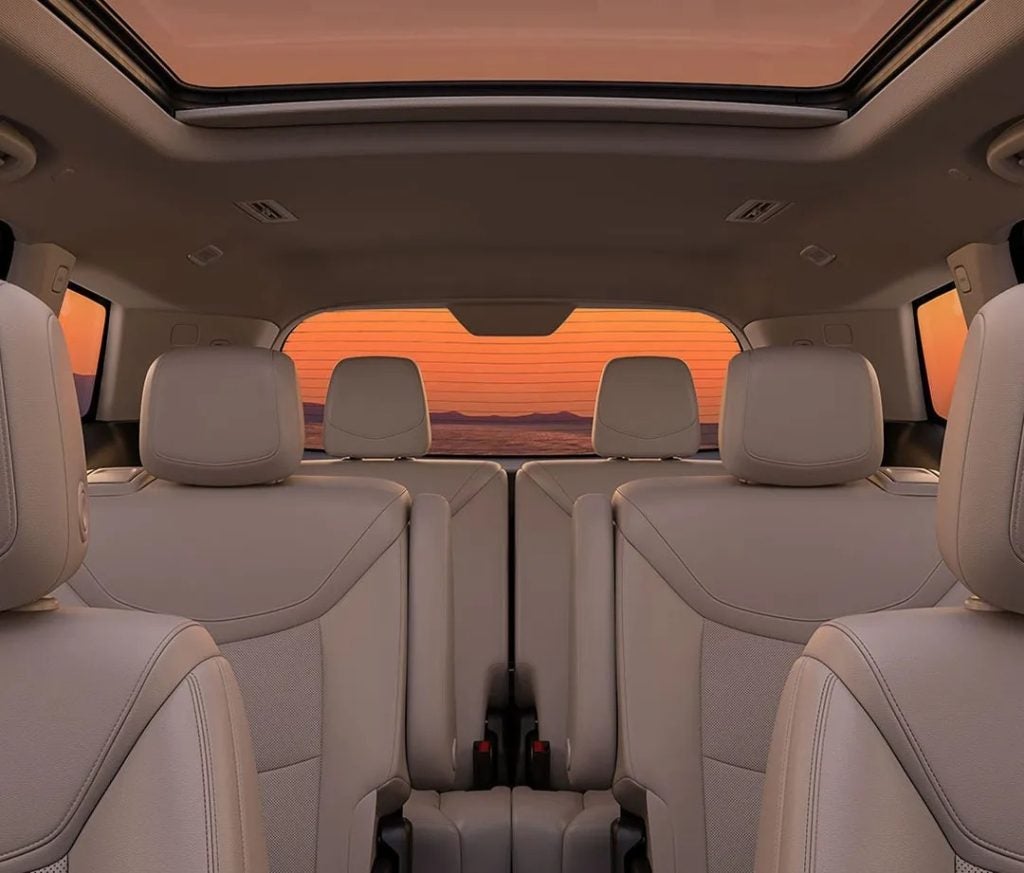
Cadillac Interior

How to Use the Heated Seats in Your Cadillac

When the weather takes a turn and the chill sets in, there's no better feeling than sinking into a warm, cozy seat in your Cadillac. Whether you're cruising through Lake Wales in your Escalade or heading out on a scenic drive in your XT6 or Lyriq, heated seats are the ultimate comfort feature for any drive. But how exactly do you activate and control these luxurious seats? In this guide, we’ll walk you through everything you need to know to turn on those heated seats, adjust the temperature to your liking, and get the most out of this must-have feature. Ready to experience the comfort? Let’s dive in—and don’t hesitate to reach out to Huston Cadillac for any questions or to explore our incredible lineup of Cadillac vehicles! How to Activate the Heated Seats in Your Cadillac Getting comfortable in your Cadillac is easy—especially when you know how to activate the heated seats. Whether you're driving the Escalade, XT6, or Lyriq, these seats can help keep you warm on those chilly mornings. Here’s how to turn on the heated seats and adjust them to your perfect level of comfort. Step-by-Step: Turning on Heated Seats 1. Locate the Seat Control Button: Find the button on the driver’s door panel. It’s marked with an icon of a seat and wavy lines. This indicates the heated seat function. 2. Press the Button to Activate: Press the button to turn on heated seats. The more you press it, the higher the temperature setting. If you prefer warmth in just your back, there’s a separate button for that. 3. Adjust to Your Comfort: Cadillac allows you to control the heat intensity in stages. Simply press the button multiple times to cycle through the settings until you find the perfect warmth. Full Seat Heat: Activates both the seat cushion and back. Back-Only Heat: Activates only the back portion of the seat. Bonus: Turning on Cooled Seats For those hot days, the Cadillac models also offer the option to turn on cooled seats. The button is similar, but with an icon of a seat and a fan. To activate, press it the same way you would for heated seats. Multiple presses will cycle through lower cooling settings. Using the Cooled Seats Feature in Your Cadillac On those hot days, nothing beats the cool comfort of ventilated seats. Your Cadillac is equipped with a cooled seats feature to keep you comfortable when the temperature rises. Whether you're driving the Escalade, XT6, or Lyriq, activating cooled seats is simple. Step-by-Step: Turning on Cooled Seats 1. Locate the Cooled Seat Button: Find the button on your driver’s door panel. It shows an icon of a seat with a fan above it. This is the cooled seat function. 2. Activate the Cooled Seats: Press the button to turn on cooled seats. You’ll feel the cooling effect almost immediately. The more you press the button, the cooler the seat becomes. 3. Adjust the Cooling Level: Just like with heated seats, Cadillac allows you to adjust the cooling. Press the button multiple times to change the level until you’re comfortable. Low Cooling: For a mild cooling effect. High Cooling: For maximum cooling on the hottest days. Enjoy Year-Round Comfort The cooled seats feature in your Cadillac provides relief on sunny days or during warm weather. It's perfect for those hot afternoons driving in the Escalade or taking a scenic drive in the XT6 or Lyriq. By using these simple steps, you can easily switch between heated and cooled seats. Stay comfortable no matter the season! What’s Under the Hood: How Heated Seats Work Curious about how Cadillac heated seats work? It’s a bit of tech magic that turns cold car rides into a warm, cozy experience. Whether you're driving an Escalade, XT6, or Lyriq, here's what happens when you turn on heated seats. The Technology Behind Heated Seats Heated seats use simple but effective technology to bring warmth to your seat. Here's how it works: Heating Coils: Under the seat cover, there are heating coils. These coils are powered by your vehicle’s electrical system. Electric Current: When you turn on heated seats, electricity flows through the coils. This electricity causes the coils to heat up. Thermostat Control: Some vehicles have thermostats built into the seats. When the seat reaches a certain temperature, the thermostat turns it off. This prevents overheating and helps maintain a comfortable warmth. Why Heated Seats Are So Comfortable The heat generated by the coils spreads evenly throughout the seat, providing a soothing effect. It warms you up quickly, which is great when you’re waiting for your car to heat up on a cold morning. If your Cadillac features cooled seats, the process works similarly, but instead of heating coils, fans circulate cool air through the seat to keep you cool during hot weather. Now that you know how it works, you'll appreciate the comfort of your heated or cooled seats every time you turn them on in your Cadillac. Whether you're in the Escalade, XT6, or Lyriq, you can always count on a comfortable ride. Benefits of Heated Seats in Your Cadillac Heated seats aren't just a luxury feature; they offer several practical benefits that make your Cadillac experience even better. Whether you're in the Escalade, XT6, or Lyriq, here’s why heated seats are a great addition to your ride. Comfort in Cold Weather Warmth When You Need It: Heated seats are perfect for cold mornings. They warm up quickly, making your car cozy even before the heater kicks in. Even Heat: The heat spreads evenly across the seat, ensuring you stay warm no matter how long your drive is. Health Benefits Soothe Sore Muscles: The gentle heat from heated seats can help relieve muscle tension, making long trips or commutes more comfortable. Improved Circulation: Sitting on heated seats can promote better blood flow, especially in colder weather when circulation can be affected. Customization for Comfort Adjustable Settings: You can control the heat level in most models. If you're too warm, simply adjust the setting, or turn on cooled seats if you need a break from the heat. Passenger Comfort: Your passengers can enjoy the same comfort, as many Cadillacs allow for individual seat temperature adjustments. Convenience and Luxury Turn on Heated Seats Quickly: With just a press of a button, you can turn on heated seats for instant warmth. No need to wait for the car’s heater to warm up. Standard in High-End Models: Cadillac’s top models, like the Escalade and XT6, often come with heated seats as standard. The Lyriq brings this feature into the electric vehicle world for a luxurious, eco-friendly ride. With so many benefits, Cadillac heated seats enhance your driving experience in ways you’ll appreciate every time you get behind the wheel. Whether you're cruising in an Escalade, XT6, or Lyriq, heated seats add a layer of comfort and convenience that makes each drive more enjoyable. Are There Any Drawbacks to Using Heated Seats? While heated seats offer plenty of benefits, they aren’t perfect for everyone or in every situation. Here are a few possible drawbacks to consider before you turn on heated seats in your Cadillac, whether you’re driving the Escalade, XT6, or Lyriq. 1. Overheating Excessive Heat: In very warm weather, heated seats can make you feel too hot, especially if you’re already using the air conditioning or the cooled seats. Discomfort: If you’re wearing heavy clothing, the heat may feel too intense, leading to discomfort. 2. Battery Usage (in Electric Vehicles) Battery Drain: In electric models like the Lyriq, using heated seats can drain the battery faster, especially on longer trips. This might slightly reduce your range. 3. Potential for Overuse Dry Skin: Using heated seats for long periods can dry out your skin, especially in winter months when the air is drier. Muscle Strain: Relying too much on heated seats to relieve discomfort might mask underlying issues like poor posture. 4. Cost of Repair Repairs: If the heated seat feature malfunctions, it can be expensive to fix, especially in high-end vehicles. Getting the heating element repaired or replaced could cost more than other seat features. Despite these potential drawbacks, the comfort and benefits of heated seats often outweigh the downsides for most drivers. However, it’s good to be aware of these concerns to ensure you're using the feature wisely. Whether you're enjoying your Escalade, XT6, or Lyriq, make sure to adjust your seat settings as needed for maximum comfort. Do heated seats turn on automatically in cold weather? No, heated seats do not automatically turn on in cold weather. You will need to manually activate them through the vehicle's control settings. Can I adjust the temperature level on each seat? Yes, you can adjust the temperature level on each seat. Most Cadillac models allow you to choose between different heat settings (e.g., low, medium, or high) for customized comfort. Can the heated seats be used without the engine running? No, the heated seats require the engine to be running or the vehicle to be in accessory mode for the seats to operate. This ensures the necessary power is supplied. Buy or Lease Your New Cadillac from Huston Cadillac Now that you know how to make the most of your Cadillac's heated seats, it's time to explore more features and vehicles that can enhance your driving experience. If you're in Lake Wales, Waverly, Highland Park, or Alcoma, we invite you to visit Huston Cadillac and discover our wide selection of vehicles, including the Escalade, XT6, and Lyriq. Feel free to explore our inventory online, where you can find the perfect vehicle to suit your needs. Whether you're in the market for a new car or seeking tips on how to drive safely in all conditions, we’ve got you covered. For example, if you're planning a winter trip or want to know how to protect your car from water damage during a storm, you can check out our guide on staying safe while driving in severe weather. Don’t hesitate to contact us for more information or visit our new vehicle selection. We're here to help you every step of the way.

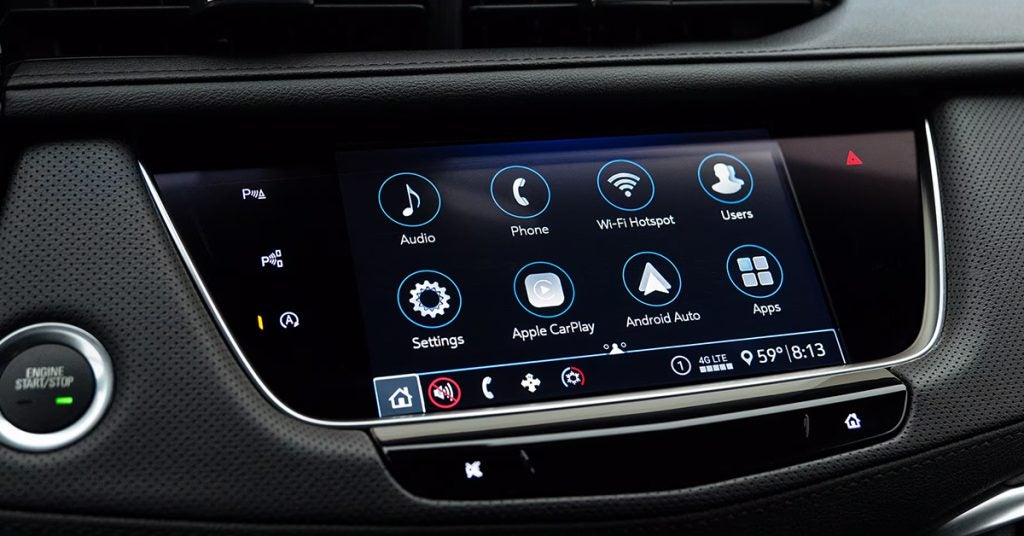
Cadillac Navigation

How to Use the Cadillac Built-In Hotspot

Staying connected on the road just got a whole lot easier with Cadillac’s built-in Wi-Fi hotspot. Whether you're streaming your favorite shows, getting work done, or keeping the kids entertained during a long drive, Cadillac has you covered. With seamless connectivity that supports multiple devices, you can turn your vehicle into a mobile hotspot in just a few simple steps. Ready to take advantage of Cadillac's cutting-edge technology? Let’s dive into how you can set up and maximize your Cadillac’s Wi-Fi capabilities, whether you’re cruising through Lake Wales, Waverly, or beyond. And if you’re looking for a Cadillac with all the latest tech, stop by Huston Cadillac or contact us to explore your options today! Setting Up Your Cadillac's Built-In Hotspot Getting your Cadillac’s built-in hotspot up and running is quick and easy. Whether you’re driving a Lyriq, Escalade IQ, or XT4, Cadillac’s mobile hotspot feature ensures that you stay connected no matter where you are. All you need is a paid data plan, and you're ready to start connecting devices. Let’s break it down into simple steps: 1. Download the myCadillac Mobile App The myCadillac app makes it easy to manage your vehicle’s built-in Wi-Fi settings from your phone. You can download the app from the App Store (for iOS) or Google Play (for Android). Once downloaded, open the app and follow the prompts to connect to your Cadillac’s hotspot. 2. Use Your Cadillac’s Touchscreen Alternatively, you can manage your Cadillac built-in Wi-Fi directly from your vehicle’s touchscreen. Tap the “Wi-Fi Settings” option in the vehicle’s settings menu. From here, you can set up your hotspot name (SSID) and password. 3. Choose Your Network Name (SSID) Your SSID is the name that will show up when you search for your Wi-Fi network. Pick something memorable and secure. You can even have fun with it—it's your network! 4. Set Your Password Protect your network with a secure password to keep your Cadillac mobile hotspot safe from unauthorized connections. Make sure the password is something unique but easy for you to remember. Once you’ve completed these simple steps, your Cadillac built-in hotspot will be ready to go! Whether you're in the Escalade IQ, Lyriq, or XT4, you can connect multiple devices, from smartphones to laptops, and start streaming, gaming, or working without missing a beat. Want help setting it up or need more info? Stop by Huston Cadillac, or contact us to get started! Connecting to Your Cadillac Mobile Hotspot Now that you've set up your Cadillac's built-in Wi-Fi, it’s time to connect your devices. Whether you’re in the Lyriq, Escalade IQ, or XT4, connecting to your Cadillac mobile hotspot is easy. Here’s how to get your devices connected in just a few simple steps: 1. Turn On Your Vehicle Before connecting, make sure your Cadillac is on or in accessory mode. This ensures that your vehicle’s Wi-Fi is active and ready to go. 2. Find the Wi-Fi Settings on Your Device Go to the Wi-Fi settings on your phone, tablet, or laptop. This is usually found in the settings app under "Wi-Fi" or "Network." 3. Select Your Cadillac's Hotspot Look for your Cadillac built-in hotspot name (SSID) in the list of available networks. If you’re unsure of your hotspot name, check your vehicle’s settings or push the blue OnStar button for help. 4. Enter the Password Once you select your hotspot, you’ll be prompted to enter the password you set up. Make sure the password is entered correctly, paying attention to capitalization and any special characters. 5. Start Using the Connection Once connected, your device will be able to access the internet through your Cadillac mobile hotspot. You can now stream music, browse the web, or even work on the go. The Cadillac built-in Wi-Fi supports up to seven devices, so everyone in the car can stay connected. Tips for a Smooth Connection: Check Your Signal: Make sure you’re within range of the hotspot. If you’re too far from your Cadillac, the signal may weaken. Data Usage: Keep an eye on your data plan. Streaming movies or large downloads can quickly use up your data. With just a few steps, you’ll be ready to enjoy all the perks of a connected ride. Whether you're heading out on a long road trip or just running errands, your Cadillac built-in hotspot makes staying connected easier than ever. If you need any assistance, don’t hesitate to visit Huston Cadillac or contact us for support! Optimizing Your Cadillac’s Wi-Fi Hotspot Experience To get the most out of your Cadillac built-in Wi-Fi, a few tips can help you enhance your connection and keep everything running smoothly. Whether you're in the Lyriq, Escalade IQ, or XT4, optimizing your vehicle’s hotspot ensures you stay connected and enjoy a seamless experience while on the go. 1. Choose the Right Data Plan To maximize your Cadillac mobile hotspot, select a data plan that suits your needs. If you plan on streaming or using multiple devices at once, look for plans with higher data limits. Keep in mind that some vehicles may come with a free trial period for Wi-Fi services. Be sure to check if you qualify! 2. Limit Device Connections Although your Cadillac built-in hotspot can connect up to seven devices, it’s best to limit the number of devices connected at once. Too many devices may slow down the speed, especially if they’re all streaming or downloading large files. 3. Monitor Your Data Usage Keep track of how much data you're using. This can help you avoid overage charges or running out of data mid-trip. The myCadillac app allows you to check your data usage and manage your plan easily. 4. Position Your Devices Correctly The signal strength of your Cadillac mobile hotspot can vary depending on your location. Try to keep your devices within close range of your vehicle to maintain a strong connection. Avoid heavy interference from objects or other wireless signals that might weaken your connection. 5. Turn Off When Not in Use If you don’t need the hotspot, turning it off will help conserve data and battery life. You can easily turn it off through the Cadillac’s built-in Wi-Fi settings on the touchscreen or in the myCadillac app. 6. Ensure Your Vehicle is Updated Periodically check for software updates for your vehicle. Keeping your system updated ensures the best performance for your hotspot. Cadillac frequently releases updates that improve Wi-Fi performance and overall connectivity. By following these tips, you can enjoy a smoother and more reliable Cadillac built-in hotspot experience, whether you’re heading out on a road trip or just commuting around Lake Wales or Highland Park. Staying connected has never been easier, and with these simple steps, you’ll be able to get the most out of your Cadillac’s mobile hotspot. Cadillac’s Built-In Hotspot for Your Road Trips Your next road trip is about to get a lot easier with the Cadillac mobile hotspot. Whether you're driving a Lyriq, Escalade IQ, or XT4, this feature will keep you and your passengers connected to the web, no matter where you’re headed. With Cadillac’s built-in Wi-Fi, your journey becomes a lot more enjoyable, whether it’s for work, entertainment, or staying in touch with loved ones. Stay Connected Anywhere You Go: No more relying on weak cellular signals or searching for Wi-Fi hotspots along the way. With a paid data plan, your Cadillac’s built-in hotspot gives you the power to connect up to seven devices. This means your family can stream movies, play games, or video chat while you focus on the road. Simple Setup for Seamless Travel: Getting started with the Cadillac mobile hotspot is easy. Simply connect your devices to your vehicle’s Wi-Fi. Once connected, you can use the web for streaming, browsing, and social media, just like you would at home. It's a quick and hassle-free way to stay connected while on the move. Perfect for Long Road Trips: On long drives, the Cadillac built-in Wi-Fi can keep passengers entertained and make the journey go by faster. You can download movies, check emails, or get work done without interruptions. And if you’re traveling with kids, they can stream their favorite shows without draining the battery on their devices. Important Tips for Road Trips Choose the right data plan: Depending on your travel plans, make sure you have enough data to cover the entire trip. Keep devices charged: Long hours of use may drain your devices, so make sure to bring chargers. Turn off when not in use: To save data and battery life, turn off the hotspot when no one needs it. With Cadillac's built-in Wi-Fi, your next road trip will be smooth, connected, and full of convenience. Ready for your adventure? Visit Huston Cadillac today to learn more about staying connected with your Cadillac mobile hotspot. Safety and Security with Cadillac’s Hotspot When you're on the road, safety and security are top priorities. Cadillac’s built-in Wi-Fi offers more than just entertainment—it also provides peace of mind. Whether you’re driving a Lyriq, Escalade IQ, or XT4, your Cadillac mobile hotspot is designed with safety in mind. 1. OnStar Emergency Assistance In case of an emergency, you can easily contact OnStar through your Cadillac mobile hotspot. OnStar provides automatic crash response, vehicle diagnostics, and roadside assistance, all available through your vehicle's built-in Wi-Fi. 2. Secure Connection for Your Devices Your Cadillac’s hotspot is encrypted, providing a secure connection for your devices. Whether you’re using a tablet or smartphone, your data is safe from unauthorized access. 3. Stay Safe with Wi-Fi Settings Control You can manage and control who connects to your Cadillac built-in hotspot. Set a password for added security and prevent unwanted users from accessing your network. 4. Remote Access via Mobile App The Cadillac mobile hotspot works seamlessly with the myCadillac app, allowing you to control settings remotely. You can check data usage, turn off Wi-Fi, or update your password from anywhere. 5. Safety Alerts for Your Vehicle Cadillac’s advanced safety features, like OnStar and remote vehicle management, can alert you to any issues with your vehicle while you’re connected. Your Escalade IQ or Lyriq will notify you of any critical issues, helping to keep you and your passengers safe. By utilizing Cadillac's built-in Wi-Fi, you’re not just staying connected—you’re ensuring your safety on every drive. Whether you’re on a long trip in your XT4 or navigating your daily commute, Cadillac’s hotspot features keep you secure and in control. Is there a monthly fee for the built-in hotspot? Yes, there is a monthly fee for the Cadillac mobile hotspot. It typically requires a data plan, and the cost depends on the data package you choose. How many devices can connect at once? Up to seven devices can connect to the Cadillac built-in hotspot at once, allowing multiple users to stay connected during your travels. Does the hotspot work when the car is off? No, the Cadillac mobile hotspot only works when the vehicle is on or in accessory mode. It will not function when the car is off. Get Your Cadillac Road-Trip Ready at Huston Cadillac Now that you know how to get the most out of your Cadillac mobile hotspot, it's time to explore more ways to enjoy your vehicle. If you're located in Lake Wales, Waverly, Highland Park, or Alcoma, we invite you to visit Huston Cadillac and explore our wide selection of vehicles, including the Lyriq, Escalade IQ, and XT4. Looking for more helpful tips? Our Buying Out Your Lease is Easy at Huston Cadillac guide can show you how simple it is to take ownership of your lease. If you're interested in discounts after Hurricane Helene, we’ve got you covered with some great offers. Want to compare the 2025 Cadillac CT5 with the 2025 CT5-V? Our detailed comparison will help you make the best choice. Ready to find your next vehicle? Check out our latest inventory of new vehicles here. Whether you're looking for a luxury SUV or a stylish sedan, Huston Cadillac has the perfect car for you. Don't hesitate to contact us for more information or assistance!

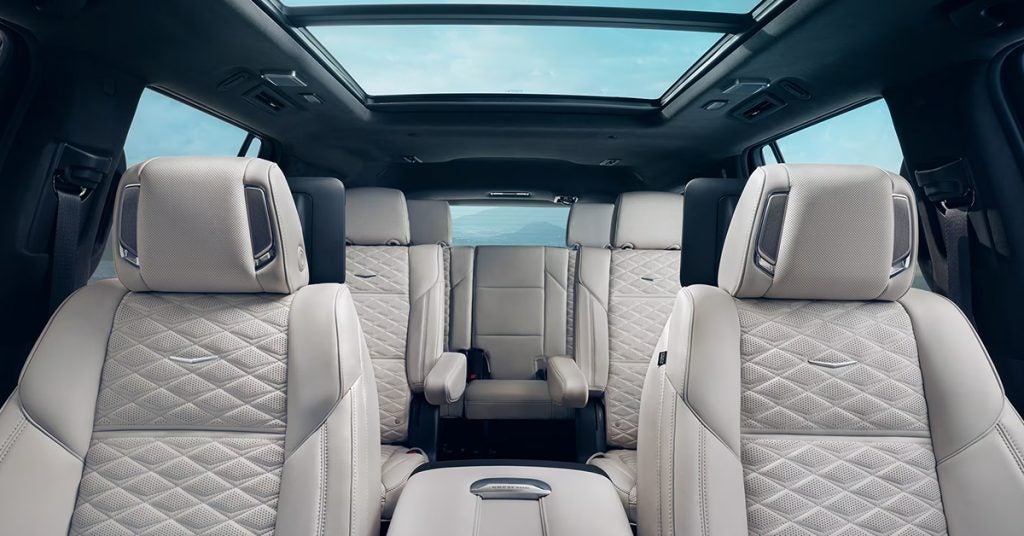
Cadillac Interior

How to Open the Sunroof on Your Cadillac

There’s nothing quite like the feeling of fresh air rushing through the cabin of your Cadillac, and with a simple press of a button, you can open your sunroof and let the breeze in. Whether you're cruising through the streets of Lake Wales or heading out on a scenic drive through Waverly, understanding how to operate your Cadillac’s sunroof is key to enjoying the full driving experience. In this guide, we’ll break down how to open and adjust your Cadillac’s sunroof, from the vent position to fully open, and share tips for keeping it in top shape. Ready to elevate your ride? If you need more help or want to explore Cadillac models like the CT4, CT5, or Lyriq, visit or contact Huston Cadillac today! New Cadillac Vehicles Get Directions Contact Us Different Sunroof Settings: Vent vs. Full Open One of the most exciting features of your Cadillac is the sunroof. It lets you enjoy the fresh air and feel more connected to the outside world. Whether you're driving your Cadillac CT4, Lyriq, or CT5, knowing how to use your sunroof properly will enhance your driving experience. Let’s dive into the two main settings you’ll use: Vent and Full Open. Vent Setting: A Gentle Breeze The vent setting is perfect when you want some air flow in your Cadillac without fully opening the sunroof. It tilts the roof slightly, allowing just enough air to circulate. This option is ideal for cooler days or when you’re driving at lower speeds. It gives you that refreshing breeze while keeping the cabin comfortable. When to Use: On mild days when you don’t need full exposure to the sun At low speeds (below 15 mph) When you want to reduce in-cabin humidity or odors Perfect for city driving or short trips Full Open: A Clear View of the Sky When you’re ready to let the sunshine in, the full open setting is the way to go. This opens your sunroof all the way, giving you a wide view of the sky above. It’s the ideal setting for a beautiful drive or a road trip in your Cadillac. Keep in mind, you may need to be traveling at higher speeds (over 15 mph) to get the roof to open fully, especially in some Cadillac models like the CT5 or Lyriq. When to Use: On clear, sunny days During longer drives on highways or open roads When you want the full outdoor driving experience Ideal for warmer weather and longer trips Using the Cadillac Sunroof Button Operating the Cadillac sunroof is simple. With a quick press of the Cadillac sunroof button, you can switch between the vent and full open settings. Many Cadillac models, like the CT4 and Lyriq, feature a button that allows you to open, close, or adjust the sunroof with ease. Press the button lightly for the vent setting. Press and hold the button for full open or close. The ease of use makes it simple to adjust the airflow and enjoy your ride, whether you're in the city or cruising on a sunny day. By understanding these settings, you’ll be able to enjoy the perfect amount of fresh air and sunshine during your drive, making every trip in your Cadillac an enjoyable one. Troubleshooting Common Sunroof Issues Sometimes, your Cadillac’s sunroof may not work as expected. Whether it’s not opening fully or getting stuck in the vent position, knowing how to troubleshoot can save you time and frustration. Here are some common issues with the Cadillac sunroof and how you can fix them: 1. Sunroof Doesn’t Open or Close Possible Cause: A power issue or a faulty motor might be preventing your sunroof from operating. What to Do: Check the fuse for the sunroof to ensure it’s intact. If the fuse is fine, try resetting the sunroof by holding the Cadillac sunroof button in the "closed" position for 10-15 seconds. If it still doesn’t work, the motor or switch may need to be replaced. 2. Sunroof Stops Midway Possible Cause: The sunroof motor may not be calibrated correctly, or there may be an obstruction. What to Do: Check for any debris or obstructions that may be blocking the sunroof's path. Perform a sunroof calibration. Hold the Cadillac sunroof button in the “close” position for 10 seconds after the roof reaches the fully closed position. This helps recalibrate the motor. 3. Sunroof Only Vents, Doesn’t Fully Open Possible Cause: If your sunroof only opens to the vent position and won’t go all the way back, it could be an issue with the switch or a setting in the motor’s memory. What to Do: Try pressing the Cadillac sunroof button slightly longer to see if it moves beyond the vent position. If that doesn't work, the sunroof may need an initialization process. This is especially true if the car battery was recently disconnected. Follow the specific reset procedure in the owner’s manual, or visit your local service center for assistance. 4. Unusual Noises When Operating the Sunroof Possible Cause: If you hear grinding or squeaking noises, it could be caused by a buildup of dirt, debris, or lack of lubrication. What to Do: Clean the tracks around the sunroof to remove any dirt or debris. Lubricate the tracks with a silicone spray to ensure smooth operation. If the issue persists, it might be best to have it checked by a professional. 5. No Air Flow in Your Cadillac Possible Cause: A malfunctioning sunroof may be affecting the air flow in your Cadillac, preventing it from venting properly. What to Do: Double-check that the sunroof is fully vented by pressing the Cadillac sunroof button to lift the rear part of the roof. If there’s still no air flow, the problem could be with the switch or a mechanical issue in the roof mechanism. If you experience any of these issues with your CT4, CT5, or Lyriq, don’t hesitate to contact your nearest service center. They can quickly resolve the problem and get your sunroof back in working order. Regular maintenance and addressing issues early will help ensure smooth, trouble-free operation of your Cadillac sunroof. The Cadillac Ultraview Sunroof: A Luxury Experience The Cadillac Ultraview Sunroof takes your driving experience to a new level. It adds a touch of luxury, offering both an expansive view of the sky and enhanced airflow in your Cadillac. Whether you're cruising in your CT4, Lyriq, or CT5, this sunroof transforms your cabin into a more open, airy space. A Sleek Design with Maximum Visibility The Cadillac Ultraview Sunroof features a panoramic design, stretching across the roof of your vehicle. This design provides passengers with an incredible, nearly unobstructed view of the sky. Imagine the sun streaming in on a bright day or stargazing on a clear night—this sunroof allows you to experience it all. How the Cadillac Sunroof Works Operating the Ultraview Sunroof is as simple as pressing the Cadillac sunroof button. The system is designed to open smoothly and quietly, offering various settings to suit your preferences. Whether you want a little extra airflow or prefer the sunroof fully open, the controls are easy to use. Vent Mode: A quick press of the sunroof button opens the sunroof slightly, allowing fresh air without fully exposing the cabin. Full Open Mode: Hold the button, and the sunroof will slide all the way back, offering a wide-open view and maximum airflow. Enjoy Air Flow with Style The Ultraview Sunroof doesn’t just provide fresh air—it enhances the overall experience of driving your Cadillac. Whether you're in the driver’s seat of the CT4, relaxing in the Lyriq, or enjoying the luxury of the CT5, you’ll appreciate the quiet breeze and added sense of openness. Plus, the sunroof is designed to maintain a sleek, stylish look while still allowing plenty of natural light into the cabin. In short, the Cadillac Ultraview Sunroof offers more than just a way to let air in—it creates an immersive driving environment. It’s perfect for those who want to feel connected to their surroundings without sacrificing luxury. Visit us at Huston Cadillac to experience the Ultraview Sunroof in person, and see how it transforms your ride. Maintaining Your Cadillac Sunroof for Longevity A Cadillac sunroof is a great feature, adding style and comfort to your driving experience. Whether you're in your CT4, Lyriq, or CT5, maintaining your sunroof is essential for keeping it in top condition. Regular care ensures smooth operation and helps to avoid unnecessary repairs. Simple Tips for Maintaining Your Cadillac Sunroof 1. Regular Cleaning: Dirt and debris can build up around the sunroof’s seals. Use a soft cloth to wipe down the edges regularly. This simple task helps maintain the proper function of the sunroof. 2. Lubricate the Tracks: The tracks that guide your sunroof should be lubricated occasionally. Applying a silicone-based lubricant helps the sunroof slide smoothly when you press the Cadillac sunroof button. Avoid using petroleum-based products as they can damage the rubber seals. 3. Inspect the Seals: Check the rubber seals around the sunroof every few months. If you notice any cracks or tears, it’s time to replace them. Well-maintained seals prevent leaks and ensure the sunroof closes properly. 4. Clear the Drainage Channels: Cadillac sunroofs come with drainage channels to direct water away. If these channels become clogged with debris, it can cause water damage to the interior. Make sure these drains are clear and free-flowing. A quick inspection can save you from bigger problems down the road. 5. Use the Sunroof Button Gently: When opening or closing your sunroof, press the Cadillac sunroof button gently. Avoid forcing the button, as this can damage the mechanism over time. It’s better to press it lightly and allow the sunroof to open or close naturally. 6. Monitor the Air Flow: The air flow in your Cadillac affects both your comfort and the sunroof’s performance. If the sunroof is open but the air feels too strong or turbulent, adjust it to a more comfortable level. Over time, maintaining proper air circulation will help the sunroof last longer. By following these simple maintenance tips, you can keep your Cadillac sunroof operating smoothly for years to come. Regular care not only extends the life of your sunroof but also enhances your driving experience, whether you’re enjoying the open air in your CT4 or cruising in your Lyriq. Is the sunroof operated by a single switch or multiple controls? The Cadillac sunroof is typically operated by a single button or switch, making it easy to use. Does it have a tilt option as well as a full open? Yes, Cadillac sunroofs generally feature both a tilt option and the ability to fully open for maximum airflow. Can the sunroof be opened or closed remotely? Depending on the model and features, some Cadillac sunroofs can be operated remotely through the key fob or the mobile app. However, this functionality may vary. Find Your Perfect Cadillac at Huston Cadillac Now that you know how to easily operate your Cadillac sunroof, you might be curious about the many other features that make Cadillac vehicles stand out. At Huston Cadillac, we’re here to help you discover all that your next vehicle can offer. If you're in Lake Wales, Waverly, Highland Park, or Alcoma, come visit us today to explore our wide selection of new Cadillac vehicles. From the sleek and stylish CT4 to the innovative Lyriq and powerful CT5, we have a Cadillac for every driver. Interested in learning more about specific Cadillac models? You might want to check out our detailed comparison between the 2025 CT4 vs 2025 CT4-V: Which is Better?, or explore the differences between the Cadillac XT4, XT5, and XT6. We also offer insight into Cadillac EV tax credits and how to make the most of your EV purchase. Ready to find your perfect Cadillac? Visit us online and explore our new vehicle inventory here. We're happy to answer any questions and help you find the Cadillac that fits your needs. Get Directions to Huston Cadillac Disclaimer: All information is provided for general informational and entertainment purposes only. While we strive for accuracy, we cannot guarantee that all content is complete, current, or error-free. Any reliance you place on such information is strictly at your own risk. This article may include opinions and is not endorsed by, or officially affiliated with, any vehicle manufacturer or brand. Always consult official sources – such as the vehicle’s owner’s manual, authorized dealerships, or certified professionals – for the most up-to-date and personalized information.

Cadillac Escalade

Escalade vs Escalade ESV vs Escalade IQ: Your Guide to Choosing the Right Cadillac SUV

The Cadillac Escalade has long been the pinnacle of luxury SUVs, but with multiple options— Escalade, Escalade ESV, and the all-new Escalade IQ —it’s important to choose the one that fits your lifestyle. Whether you’re after classic luxury, extended cargo space, or cutting-edge electric performance, each model offers something unique. In this guide, we’ll break down the key differences so you can make the best decision. Ready to experience them in person? Visit or contact Huston Cadillac today and find the Escalade that’s perfect for you! New Cadillac Vehicles Get Directions Contact Us Size and Space: Which Escalade Offers the Best Fit? When it comes to luxury SUVs, size matters. Whether you’re driving around town or embarking on a long road trip, finding the right amount of space is key. The Cadillac Escalade offers three options, each designed to cater to different needs. Let’s break down the space and size differences between the Escalade, Escalade ESV, and Escalade IQ to help you decide which is the best fit for your lifestyle. Escalade The standard Escalade is the perfect balance of luxury and practicality. It offers: Seating Capacity: Up to 7 passengers Cargo Space: 25.5 cubic feet behind the third row Length: 211.9 inches It’s spacious enough for most families while still maintaining the sleek, athletic stance Cadillac is known for. Escalade ESV If you need extra room, the Escalade ESV is the way to go. It’s a longer version of the standard Escalade, designed with more space in mind. Key features include: Seating Capacity: 7 to 8 passengers Cargo Space: 42.9 cubic feet behind the third row Length: 227.1 inches The ESV’s extended length means more legroom and cargo space, perfect for those who frequently carry large loads or have growing families. Escalade IQ The Escalade IQ is a newer addition, and its electric powertrain adds a fresh twist to the Cadillac family. While it shares the same iconic Escalade look, the IQ is designed to offer: Seating Capacity: Up to 7 passengers Cargo Space: 33 cubic feet behind the third row Length: 213.9 inches The Escalade IQ combines cutting-edge electric tech with the luxury and space you expect from Cadillac, making it an excellent choice for eco-conscious drivers who don’t want to compromise on space. Choosing the Right Fit If you need ample cargo room and seating for a large family, the Escalade ESV may be the best fit. If you’re looking for a perfect balance of size and luxury, the standard Escalade is ideal. And if you’re making the switch to electric without sacrificing space, the Escalade IQ offers both innovation and room to grow. For more details and to explore Cadillac cars for sale, head to Huston Cadillac. Our Cadillac service department is also available to ensure your vehicle stays in top condition for years to come. Performance and Handling: Power Meets Precision When it comes to driving a luxury SUV, performance is key. Whether you're navigating tight city streets or cruising on the open highway, you need a vehicle that offers both power and precision. The Cadillac Escalade, Escalade ESV, and Escalade IQ all deliver in this area, but each offers a unique experience behind the wheel. Escalade The standard Escalade is equipped with a 6.2-liter V8 engine, providing impressive power and smooth handling. You’ll get: Power: 420 horsepower Torque: 460 lb-ft Transmission: 10-speed automatic With this setup, the Escalade offers plenty of strength for both city driving and towing. The handling is responsive, giving you the confidence to take on tight turns and winding roads. Escalade ESV The Escalade ESV shares the same engine as the standard model, but its larger size means it has a slightly different driving experience. Despite the extra length, it still maintains excellent maneuverability. Here’s what you can expect: Power: 420 horsepower Torque: 460 lb-ft Transmission: 10-speed automatic While the ESV is bigger, the advanced suspension system keeps it balanced and easy to control. It’s perfect for those who need extra space but don’t want to sacrifice performance. Escalade IQ The Escalade IQ offers a unique driving experience. It’s an all-electric version of the luxury SUV, providing instant torque and a smooth, quiet ride. With the electric powertrain, you’ll enjoy: Power: 680 horsepower Torque: 825 lb-ft Transmission: Single-speed transmission The IQ is all about precision. It delivers a new level of acceleration and handling with its electric motor. Plus, its lower center of gravity enhances stability, making it a breeze to drive, even around corners. Choosing the Right Performance Each Escalade model delivers powerful performance, but your choice depends on what you’re looking for. If you want a traditional engine with robust power and handling, the Escalade or ESV are great options. However, if you're ready to go electric without sacrificing luxury or performance, the Escalade IQ is the ideal choice. To explore Cadillac cars for sale and learn more about the performance of each model, visit Huston Cadillac. Don’t forget to stop by our Cadillac service department for any questions or maintenance needs. Technology and Safety: Advanced Features for a Secure Drive When driving a luxury SUV, technology and safety are just as important as power and performance. Cadillac has made sure that the Escalade, Escalade ESV, and Escalade IQ are equipped with the latest features to keep you connected, comfortable, and safe on the road. Escalade The Escalade comes with a host of tech features that enhance your driving experience. Some of the key highlights include: 12.3-inch Digital Cluster Display: Gives you customizable, clear, and detailed information right in front of you. Wireless Apple CarPlay and Android Auto: Stay connected without the need for cables. Super Cruise: A hands-free driving system that works on certain highways, providing a relaxed driving experience. Cadillac User Experience (CUE): The responsive touchscreen system that lets you control everything from navigation to media with ease. For safety, the Escalade is packed with features like: Forward Collision Alert: Warns you of a potential collision with vehicles ahead. Automatic Emergency Braking: Helps stop the vehicle if you get too close to an obstacle. Rear Cross Traffic Alert: Alerts you to approaching vehicles when backing up. Escalade ESV The ESV version offers many of the same advanced features as the standard Escalade, but with extra space comes even more comfort and tech options. The safety features are just as strong, with additional sensors to monitor the extended length. You’ll also get: Enhanced Night Vision: Better detection of pedestrians and animals in low-light conditions. 360-Degree Camera: Gives you a bird’s-eye view of the area around the vehicle for easier parking and safety. Escalade IQ The all-electric Escalade IQ takes tech and safety to the next level. Some standout features include: Ultrasonic Sensors: These sensors help with parking and detecting objects close by in low-speed situations. Advanced Driver Assistance Systems (ADAS): Includes lane-keeping assist, blind-spot monitoring, and more. Electric Drive Benefits: The Escalade IQ’s low-center-of-gravity design and regenerative braking system provide extra stability and control. Why Choose Cadillac Technology All three models of the Escalade bring you cutting-edge technology and top-tier safety features. Whether you're driving a traditional gas-powered Escalade or the all-electric IQ, you're guaranteed a secure and connected ride. Looking to explore Cadillac cars for sale? Visit Huston Cadillac today to see these features in action. Our Cadillac service department is also here to answer all your questions and ensure your vehicle is always in top condition. Interior Comfort and Luxury: A Premium Experience When it comes to luxury, Cadillac ensures that every ride is a first-class experience. Whether you're behind the wheel of the Escalade, Escalade ESV, or Escalade IQ, you’ll enjoy superior comfort and an unmatched atmosphere. These vehicles offer a cabin that’s not only spacious but also designed with the finest materials and cutting-edge technology. Escalade The Escalade's interior is a blend of classic luxury and modern innovation. It features: Leather seating: Soft, premium leather provides comfort for long trips. Massaging Seats: Available on select models, these seats help you stay relaxed on the go. Heated and Ventilated Seats: Stay cozy in winter or cool in summer with seats that adjust to your comfort. Wood and Metal Accents: Polished wood and brushed metal elements add a touch of elegance to the cabin. Escalade ESV If you need even more space, the Escalade ESV offers additional room for passengers and cargo, while still maintaining all the luxury you expect: Extended legroom: More space for those sitting in the back, making long journeys even more enjoyable. Panoramic Sunroof: Let in more light and enjoy a scenic view with the large sunroof. Three-zone climate control: Ensure that every passenger is at the perfect temperature, no matter where they sit. Escalade IQ As Cadillac’s first all-electric SUV, the Escalade IQ offers an interior that is as eco-conscious as it is luxurious: Sustainable materials: High-end materials made with sustainability in mind without compromising on luxury. Quiet Cabin: Enjoy a serene ride thanks to the electric drive system that reduces road noise. Intelligent Seating Configuration: The flexible seating offers ample space for passengers and cargo, making the most of every inch. Why Choose Cadillac Luxury? Cadillac's attention to detail in design ensures a premium driving experience for all passengers. Whether it's the Escalade, Escalade ESV, or the new Escalade IQ, each model delivers a level of comfort that defines luxury. If you're ready to experience it for yourself, visit Huston Cadillac today. We have Cadillac cars for sale that offer this top-tier luxury. Our Cadillac service department is also available to ensure your vehicle stays in perfect condition for years to come. Fuel Efficiency vs. Electric Range: Which One Saves More? When it comes to choosing the best vehicle for savings at the pump or charging station, understanding fuel efficiency and electric range is key. With the Escalade, Escalade ESV, and Escalade IQ, Cadillac offers a range of options that balance performance with savings. Escalade and Escalade ESV: Fuel Efficiency with Power The Escalade and Escalade ESV are both equipped with powerful engines, but they also offer impressive fuel efficiency for their size. Escalade: The standard gas-powered model offers great highway mileage for a large SUV. Escalade ESV: The extended version of the Escalade offers similar efficiency, but with more room and cargo space. Though these models don’t match the fuel efficiency of smaller cars, they provide strong performance while still being fairly efficient for their class. Escalade IQ: The Electric Option The Escalade IQ, Cadillac’s first all-electric SUV, takes a different approach to savings. Instead of relying on gas, it uses electricity to power its drive system. Electric Range: The Escalade IQ offers a generous range on a single charge, making it ideal for longer trips without stopping frequently for charging. Charging Options: Charge it at home or at public stations, giving you flexibility and ease of use. Energy Efficiency: Since it runs purely on electricity, the Escalade IQ produces no emissions, and electricity is often cheaper than gas. What’s the Best Choice for You? If you value convenience and longer trips: The Escalade and Escalade ESV offer powerful performance and reasonable fuel efficiency. If you prefer zero emissions and want to reduce fuel costs: The Escalade IQ is the way to go. In the end, the right option depends on your driving habits and what matters most to you. Whether you prefer the traditional fuel efficiency of the Escalade or the electric range of the Escalade IQ, there’s a model to fit your needs. Visit Huston Cadillac to learn more about these options. We have a variety of Cadillac cars for sale to meet your driving needs. And, our Cadillac service department is here to keep your vehicle running at its best, no matter which model you choose. Towing and Utility: Which SUV Handles the Heavy Lifting? When it comes to towing and utility, the Escalade, Escalade ESV, and Escalade IQ each bring something different to the table. Whether you’re hauling heavy loads, pulling a trailer, or just need extra cargo space, understanding their towing capabilities is key to choosing the right model for you. Escalade: Power Meets Capability The standard Escalade is built for power and utility. It can handle heavy towing needs with ease. Towing Capacity: Up to 8,200 pounds, making it ideal for hauling boats, trailers, or RVs. Cargo Space: Generous interior room for carrying your gear and supplies without sacrificing comfort. The Escalade is perfect for those who need robust towing power without compromising on luxury. Escalade ESV: Extra Space for Bigger Loads The Escalade ESV is a longer version of the Escalade, giving you even more space for towing and utility needs. Towing Capacity: Similar to the standard model, but with added stability thanks to the extended frame. Cargo Room: With its extra length, the ESV offers more cargo space, making it a great option for larger items or family trips. If you need to haul more or want added room for passengers and gear, the Escalade ESV delivers. Escalade IQ: Efficiency Meets Innovation The Escalade IQ, as Cadillac’s all-electric option, is designed to take on utility needs in a more sustainable way. Towing Capability: While the electric Escalade IQ offers impressive power, its towing capacity may be lower than the gas-powered versions. However, it still handles moderate loads with ease. Utility: Enjoy a quieter, more energy-efficient ride, while still offering smart cargo space. Though the Escalade IQ is primarily designed for those seeking electric power, it still provides utility for everyday needs. Which SUV Handles the Heavy Lifting? For maximum towing capacity: The Escalade or Escalade ESV are your best bet, with the power to haul heavy loads with ease. For an electric option with utility: The Escalade IQ offers a quieter, more efficient ride, though it may not handle as heavy a load. Visit Huston Cadillac today to explore Cadillac cars for sale. Whether you’re in need of powerful towing or extra cargo room, our Cadillac service department is here to ensure your vehicle stays in top condition, no matter which model you choose. Which Cadillac SUV offers the most interior space? The Escalade ESV offers the most interior space, with its extended length providing additional cargo room and more passenger seating compared to the standard Escalade. How does the Escalade IQ compare in terms of performance? The Escalade IQ is an all-electric vehicle designed for efficiency. While it offers impressive power and innovation, its performance is geared more toward sustainability and quieter rides than the heavy-duty towing power of gas-powered models like the Escalade or Escalade ESV. Which trim or model year provides the highest towing capacity? The 2024 Escalade (and prior model years) provides the highest towing capacity, reaching up to 8,200 pounds, making it the best option for heavy hauling among Cadillac’s lineup. Find the Perfect Luxury SUV at Huston Cadillac Choosing the right Cadillac SUV is a big decision. If you're in Lake Wales, Waverly, Highland Park, or Alcoma, come v isit Huston Cadillac. We have a wide selection vehicles including the Escalade, Escalade ESV, and Escalade IQ to fit your needs and style. We also invite you to explore our end-of-year Cadillac savings and deals, where you can find great offers on these luxury vehicles. If you're still wondering about your options, check out our detailed comparison between the Tahoe and Escalade to see which GM SUV is right for you. Don’t forget, our Cadillac service department is here to keep your vehicle in top shape, offering routine maintenance and expert care. To view our current inventory and find the perfect Cadillac for you, visit our new vehicle search page. Whether you're looking to buy, compare, or service your vehicle, Huston Cadillac is here to help you every step of the way. Get Directions to Huston Cadillac Disclaimer: All information is provided for general informational and entertainment purposes only. While we strive for accuracy, we cannot guarantee that all content is complete, current, or error-free. Any reliance you place on such information is strictly at your own risk. This article may include opinions and is not endorsed by, or officially affiliated with, any vehicle manufacturer or brand. Always consult official sources – such as the vehicle’s owner’s manual, authorized dealerships, or certified professionals – for the most up-to-date and personalized information.

Cadillac CT5-V

Cadillac's CT4-V and CT5-V Roar Onto Car and Driver's 10 Best Cars for 2025 List

Car and Driver has unveiled its prestigious 10Best Cars list for 2025, and Cadillac has plenty to celebrate. The high-performance CT4-V and CT5-V have both been recognized for their thrilling driving dynamics, luxurious interiors, and impressive value proposition. This is a significant accomplishment for Cadillac, as Car and Driver's 10Best Cars list is a highly respected benchmark in the automotive industry. To earn a spot on this list, a car must excel in a variety of areas, including performance, handling, comfort, design, technology, and value. What Makes the CT4-V and CT5-V Stand Out? The CT4-V and CT5-V are both powered by Cadillac's exhilarating 3.6-liter twin-turbocharged V6 engine, which produces a stirring 472 horsepower and 445 lb-ft of torque. This engine delivers heart-pounding acceleration and a thrilling driving experience. In addition to their potent engines, the CT4-V and CT5-V boast sharp handling characteristics. They feature a well-tuned suspension system that provides exceptional control and feedback, even on challenging roads. Cadillac hasn't forgotten about luxury inside the CT4-V and CT5-V. The cabins are appointed with premium materials and offer a variety of comfort and convenience features. Drivers will appreciate the supportive seats, the intuitive infotainment system, and the abundance of passenger space. Perhaps most importantly, the CT4-V and CT5-V offer a compelling value proposition. They deliver a thrilling driving experience, a luxurious interior, and a comprehensive suite of features, all at a competitive price point. The Verdict: A Winning Combination of Performance, Luxury, and Value Cadillac's inclusion on Car and Driver's 10Best Cars list is a testament to the CT4-V and CT5-V's well-rounded capabilities. These cars offer an exhilarating driving experience, a luxurious interior, and a competitive price tag, making them a compelling choice for discerning drivers. If you're in the market for a high-performance sedan that delivers a thrilling driving experience, a luxurious interior, and excellent value, then the Cadillac CT4-V and CT5-V are definitely worth considering. Read the full article here.

How to Remote Start the Heater & AC in Your GMC

When the weather takes a turn, there's nothing quite like stepping into a perfectly heated or cooled vehicle. Whether it’s the chilly mornings or scorching afternoons, knowing how to remote start the heater and AC in your GMC can make all the difference in your driving experience. Fortunately, it's an easy process that ensures your comfort before you even get behind the wheel. In this guide, we’ll walk you through the simple steps to remotely start the climate control in your GMC, so you can enjoy the perfect temperature every time. Ready to make your drives more comfortable? Visit or contact Huston Cadillac GMC today and let us help you get the most out of your vehicle!Understanding GMC Remote Climate Control GMC vehicles like the Terrain, Acadia, and Yukon come with a convenient feature: remote climate control. This allows you to adjust the temperature inside your vehicle before you even step inside. Whether it's a cold winter morning or a hot summer afternoon, you can ensure your car is the perfect temperature when you're ready to go.Remote climate control works by enabling the heater or AC to start remotely. This feature is part of GMC's remote start system, offering comfort and convenience.Here’s how it benefits you: Heater (GMC Remote Start Heater): On chilly mornings, you can start the heater and warm up your car before you even get in. Air Conditioning (GMC Remote Start AC): During the summer, you can cool the cabin down while you’re still at home or work. This feature is especially useful when you need to avoid uncomfortable temperatures in your vehicle.How it Works When you activate the remote start, the vehicle will start the engine and begin conditioning the interior. The system uses the settings you’ve programmed for the heater or AC, adjusting the temperature to your preference. It’s an easy way to experience a cozy ride no matter the weather outside.In models like the GMC Terrain, Acadia, and Yukon, the climate control system is designed to make life easier. All you need is your key fob or the GMC mobile app to access this feature.Remote start lets you enjoy your drive in comfort without waiting for your vehicle to warm up or cool down. It’s just one more way GMC enhances your driving experience.Ready to learn more? Visit Huston Cadillac GMC today to explore these features in person!Activating Your GMC’s Remote Start to Control Heater & AC Getting your GMC ready for any weather is easy with the remote start feature. Whether you're in a cold or hot climate, you can control the interior temperature without stepping inside. Activating the system is simple, and it starts the heater or AC to create a comfortable ride.Here’s how to activate the remote start for your GMC vehicle: Using the Key Fob: Press the Lock button on your key fob. Within a few seconds, press and hold the Remote Start button. Your vehicle will start, and the climate system will adjust to your pre-set temperature settings. Using the GMC Mobile App: Open the myGMC app on your phone. Select the Remote Start option. The app will start your vehicle and activate the heater or AC based on your preferences. Features of Remote Climate Control: GMC Remote Start Heater: Warming up your car on chilly mornings so you can get in and go without waiting. GMC Remote Start AC: Cooling down your car on hot days, ensuring you never step into a sweltering cabin. Notes to Keep in Mind: The vehicle’s engine needs to be running to activate the remote climate control. The system works for up to 10 minutes on the first start, and it can be extended with a second remote start. This feature is available on GMC models like the Terrain, Acadia, and Yukon. It's an easy way to take control of your car’s climate without having to wait inside.If you're unsure about how to activate or adjust the remote start in your vehicle, visit us at Huston Cadillac GMC. Our team is ready to show you all the features!How GMC Vehicles Like the Terrain, Acadia, and Yukon Leverage Remote Start GMC vehicles, such as the Terrain, Acadia, and Yukon, make your life easier with their advanced remote start technology. Whether you’re dealing with a hot summer day or a chilly winter morning, this feature helps you control the temperature in your car before you even step inside.GMC Remote Start Heater & AC: How It Works When you activate your vehicle’s remote start, the system doesn’t just start the engine. It also activates the climate control system. This means the car will adjust to your desired temperature. Whether you need the heat blasting in winter or the air conditioning in summer, the system takes care of it for you. Remote Start AC: On hot days, the system automatically starts the AC, cooling the car’s interior quickly. Remote Start Heater: In colder weather, the heater kicks on, so you can enter a warm vehicle. Benefits of Remote Start in GMC Vehicles Convenience: Start your car from the comfort of your home, office, or wherever you are. No need to wait inside for the car to warm up or cool down. Comfort: Enjoy the perfect temperature as soon as you get in the vehicle. Efficiency: Remote start ensures your car is ready to go without wasting energy once you’re on the road. How It Works on Different Models GMC Terrain: Ideal for quick, on-the-go start-ups. It’s perfect for getting your cabin to the right temperature in a compact SUV. GMC Acadia: A larger SUV with a remote start that prepares the spacious interior for a comfortable ride. GMC Yukon: This full-size SUV lets you control the climate for both the front and rear areas. Whether you have passengers or not, everyone benefits from a perfectly prepared cabin. By leveraging the remote start feature, your GMC vehicle provides convenience, comfort, and control, all with a simple push of a button. It’s an easy way to enhance your driving experience, whether in a Terrain, Acadia, or Yukon.Need assistance with your remote start? Visit us at Huston Cadillac GMC to get a hands-on demonstration!Managing Temperature Preferences with Automatic Controls GMC vehicles like the Terrain, Acadia, and Yukon are equipped with advanced climate control systems that make managing your vehicle's temperature effortless. With features like remote start and automatic temperature settings, you can always step into a comfortable cabin, no matter the season.GMC Remote Start: Temperature Control at Your Fingertips Using the GMC remote start feature, you can set your car’s temperature before you even step inside. Whether it's heating your vehicle in winter or cooling it down in summer, the system automatically adjusts to your last settings. This means when you start your car, it’s already comfortable, saving you time and energy. GMC Remote Start Heater: In colder months, the system will activate the heater, warming your car’s cabin and engine. It’s a great way to ensure you’re not entering a chilly car. GMC Remote Start AC: In the summer, the system activates the air conditioning, ensuring you have a cool and relaxing environment. The vehicle’s air conditioning will run until the desired temperature is reached. Automatic Climate Control for Consistency Once inside, the automatic climate control system takes over, ensuring your preferences are maintained. Whether you’re driving a Terrain, Acadia, or Yukon, the system can be set to a comfortable temperature and will maintain it without you having to adjust the dials. GMC Remote Climate Control: The system automatically adjusts fan speed, temperature, and air distribution to keep the cabin at your preferred comfort level. No More Constant Adjustments: Set it and forget it! The automatic controls will maintain your desired temperature for the duration of your drive. Key Features: One-Touch Convenience: With remote start, you can set the climate from a distance. Customizable Comfort: Each vehicle offers individualized settings to cater to every passenger’s preference. Whether you’re driving through snowy mornings or hot summer afternoons, GMC’s remote start and climate control make sure that your vehicle is always the right temperature when you need it most.Ready to experience it for yourself? Visit Huston Cadillac GMC today to see how easy it is to enjoy the comfort of automatic climate control in our vehicles.Troubleshooting Remote Start Climate Control Issues If you're having trouble with the remote start climate control system, don’t worry! Most issues are easy to resolve. Here’s a guide to help you troubleshoot and get your GMC system working smoothly again.1. Check Your Settings Ensure you’ve set your desired temperature before using remote start. If it's too low or high, the system might not respond as expected. 2. Make Sure the Vehicle is in "Park" The climate control system won’t activate if your vehicle is not in "Park." Double-check the gearshift before using remote start. 3. Check the Battery A low battery can interfere with remote start functions, including climate control. Make sure your GMC’s battery is fully charged. 4. Verify Remote Start Compatibility Not all GMC models have the same remote start features. For example, a Terrain, Acadia, or Yukon may have different remote start options. Check your owner’s manual for model-specific instructions. 5. Temperature Range Limits Some systems have temperature range limits. If it's too hot or cold, your vehicle may not activate the heater or AC. Check your vehicle’s temperature settings to ensure they’re within the system’s capabilities. 6. Reset the System If you're still facing issues, try resetting your system. Turn the vehicle off and on, and try using the remote start again. This often solves minor glitches. If you continue to have trouble, feel free to visit Huston Cadillac GMC. Our experts are happy to assist with any concerns or provide additional tips for maintaining your vehicle’s climate control system.Enhancing Your Driving Experience with Remote Climate Control Remote climate control gives you the power to adjust your vehicle’s temperature before you even step inside. Whether it’s a hot summer day or a chilly winter morning, this feature ensures your GMC is always ready and comfortable.Key Benefits of Remote Climate Control: Comfortable Start: With a remote start, you can activate the AC or heater before you enter, ensuring a cozy drive. Time Saver: Skip the wait for your vehicle to cool down or heat up. Your GMC’s climate control is set for you in advance. Year-Round Convenience: Whether it’s cooling down on a warm day or warming up in the winter, the system adapts to all seasons. Convenience: Set the temperature just how you like it, from the comfort of your home, work, or while running errands. In models like the Terrain, Acadia, or Yukon, remote start offers easy access to climate control with a simple push of a button. No more stepping into a freezing or sweltering vehicle – just get in and go.This feature not only enhances comfort but makes your daily routine more efficient. No matter the weather, your GMC’s remote climate control ensures you're always ready for the road ahead.Does the HVAC system default to my last used settings when I remote start? Yes, when you remote start your GMC, the HVAC system typically defaults to the last used settings, such as the temperature and fan speed. Can I remotely set a specific temperature for heating or cooling? Yes, with remote start, you can set the desired temperature, ensuring the vehicle is at your preferred comfort level before entering. Will remote starting the heater or AC require a subscription service like OnStar®? Yes, remote start features, including climate control, typically require an active OnStar® subscription or a compatible remote service plan. Learn Your GMC's features at Huston GMC Now that you know how to easily control your GMC’s climate remotely, why not explore more ways to enhance your driving experience? Whether you’re in Waverly, Highland Park, or Alcoma, Huston Cadillac GMC is here to help. We have a great selection of GMC vehicles like the Terrain, Acadia, and Yukon that are perfect for every lifestyle.If you’re looking for more information on how our vehicles compare to others, check out our recent blog posts like "What Are the Pros and Cons of Driving an Electric SUV?", "Meet the 2025 GMC Savana: The Ultimate Cargo Van" or explore the "2025 GMC Canyon vs. the 2025 Chevrolet Colorado: Which is the Better Choice?".Ready to upgrade? Take a look at our new GMC vehicles and see why we are the go-to GMC dealer in the area. Visit us today or contact us for more information!

How to Use Remote Start on Your GMC Truck

Imagine stepping out of your house on a chilly morning, only to find your GMC Sierra 1500 or Canyon already warmed up and ready to go. Thanks to the remote start feature on your GMC truck, that convenience is just a button press away. Whether you're gearing up for a busy day in Highland Park or heading out to Waverly, mastering the art of remote starting your truck can make your life a whole lot easier. In this guide, we’ll walk you through everything you need to know about using remote start on your GMC truck, from the simple key fob method to using your smartphone for ultimate control. Ready to get started? Let’s dive in! And if you have any questions or need assistance, feel free to visit us at Huston Cadillac GMC—our team is here to help.How to Use the Key Fob to Start Your GMC Truck Remotely Using your GMC truck's key fob to start the engine remotely is simple and can save you time and effort. Whether you're in your driveway, parking lot, or across the street, you can start your truck with just a push of a button. Here's how to do it:Press and Hold the Remote Start Button Locate the remote start button on your key fob. This is usually marked with a circular arrow symbol. Press and hold the button for about three seconds. Your truck’s lights will blink, and the engine will start. Verify the Engine Has Started The headlights will blink once, and you’ll hear the engine start. This indicates your GMC truck is now running. If your truck doesn’t start, ensure the key fob is within range and try again. Deactivate the Remote Start Feature (If Needed) If you no longer need the engine running, you can stop it by pressing and holding the remote start button on the key fob again for about three seconds. The engine will turn off and the lights will blink twice to confirm. Check for Additional Settings In some models, like the Sierra HD or Canyon, the engine may run for 10 minutes before turning off automatically. You can press the remote start button again to extend this time. Pro Tip: You can also use the key fob to start your GMC truck remotely if it’s in Park and all doors are closed. This ensures safe and easy starting without getting inside the vehicle.By following these simple steps, you can enjoy the comfort and convenience of starting your truck remotely whenever you need it.Ready to get behind the wheel of your GMC truck? Visit us at Huston Cadillac GMC to learn more about the remote start feature or to check out our latest models!Benefits of Using GMC’s Remote Start in Alcoma and Beyond Using remote start on your GMC truck is more than just a convenience—it's a game-changer, especially for those in Alcoma and surrounding areas. Whether you're getting ready for a cold morning or a hot day, starting your truck remotely can make life easier in many ways. Here’s why you should take advantage of this feature. Comfort at Your Fingertips: Start your truck remotely and let it warm up in winter or cool down in summer. No more stepping into a hot or icy vehicle. Time-Saving: Remote ignition allows your vehicle to be ready to go when you are. Skip the extra minutes waiting inside, especially when you're running late. Added Security: Some models have a safety feature that turns off the engine if someone tries to get in without the key. This helps keep your truck safe from theft. Perfect for Families: If you’re juggling kids, pets, or other responsibilities, starting your truck from the comfort of your home gives you more time to prepare for your trip. Worksite Ready: Whether you drive a Sierra 1500 or a Sierra HD, remote start helps get your truck ready for the day. No need to walk out into the cold or heat to start your truck. By using GMC truck remote ignition, you’ll enjoy these benefits and more. It’s not just about convenience—it's about enhancing your experience every time you drive. And if you’re ready to learn more or try it out, visit us at Huston Cadillac GMC!Remote Start Features and How They Work in Your GMC Sierra HD, Canyon, or Sierra 1500 Remote start in your GMC truck is packed with features that make life simpler. It’s not just about convenience—it’s about control. Whether you’re using it in the winter to warm up your Sierra HD or in the summer to cool off your Canyon, here’s how GMC truck remote ignition works and what features you can expect. Start Your Truck Remotely: The first step is simple. Press the lock button on your key fob and hold down the remote start button for a few seconds. Your GMC truck will start without you having to step outside. Climate Control: The system adjusts the cabin temperature based on your last setting. If you had the heat running or the AC on, your truck will mimic that. This helps you maintain a comfortable ride from the moment you get in. Safety Features: GMC remote start trucks include safety features that stop the truck from running if someone enters the vehicle without the proper key. This adds extra peace of mind, especially when parked in public spaces. Engine Idle Time: The remote start will run the engine for 10 minutes before shutting off automatically. If you need more time, just press the remote start button again to extend the idle time. Cold Weather Assistance: For models like the Sierra 1500, the remote start system can activate the engine and the cabin heater, ensuring your truck is ready even on the coldest mornings. These features are designed to make your daily life easier. With GMC truck remote ignition, you're in control, even before you get in the driver’s seat. If you’re ready to learn more about how it works in your Sierra HD or Canyon, visit Huston Cadillac GMC!Using the GMC Mobile App for Remote Start In today’s world, convenience is key. With the GMC mobile app, you can start your truck from virtually anywhere. Whether you're at home or running errands in Alcoma, you can remotely start your GMC truck with just a tap. Here's how to use the app to make your life easier.Step-by-Step Guide to Using the GMC Mobile App for Remote Start: Step 1: Download and Set Up the App: First, download the GMC mobile app from the App Store or Google Play. Once downloaded, create an account or log in with your existing GMC account. Ensure your GMC truck is linked to the app through your vehicle’s VIN (Vehicle Identification Number) to activate remote services. Step 2: Access the Remote Start Feature: Open the app and navigate to the "Remote Start" option in the main menu. The app will show your GMC truck’s status, whether it’s locked or unlocked. From there, tap the "Remote Start" button to activate your truck. Step 3: Customize Your Preferences: Before starting the truck remotely, you can adjust your truck’s climate settings through the app. Set the temperature to your liking, whether it's cooling down your Canyon on a hot day or warming up your Sierra 1500 on a cold morning. You can also set the truck’s idle time, allowing it to run for up to 10 minutes before turning off. Step 4: Monitor Your Truck: The app allows you to track your truck's location. This can be helpful if you're in a crowded parking lot or want to know where your Sierra HD is at any given moment. You can lock or unlock the doors, check tire pressure, and even monitor fuel levels directly from the app. Step 5: Control at Your Fingertips: With the GMC mobile app, you can also stop your truck remotely. If you realize you don’t need the engine running anymore, just press "Stop" on the app to turn it off. You can also extend the run time if needed. Using the GMC mobile app for remote start is a great way to stay in control. Whether you’re starting your truck remotely to prepare for your drive or keeping an eye on your vehicle’s status, the app makes it easy to manage. It’s just another reason why GMC trucks like the Sierra HD, Canyon, and Sierra 1500 are designed with convenience in mind.Ready to give it a try? Visit Huston Cadillac GMC today to learn more!Troubleshooting Common Issues with GMC Remote Start While GMC remote start is a reliable feature, sometimes issues can arise. If you’re having trouble starting your truck remotely, don’t worry. Below are common problems and simple solutions to help get your remote start working again.1. Check the Key Fob Battery A weak or dead key fob battery can prevent the remote ignition from working. Solution: Replace the key fob battery to ensure it sends a strong signal. 2. Ensure Your Truck is in Park Your GMC truck must be in the “Park” position to start remotely. Solution: Double-check that your truck is in Park before attempting the remote start. 3. Verify the Truck’s Battery Health If your truck’s battery is low, remote start may not function properly. Solution: Ensure your GMC’s battery is in good condition. If needed, recharge or replace it. 4. Confirm the Remote Start Feature is Active Not all GMC trucks come with remote start pre-activated. Sometimes it needs to be enabled. Solution: Check with your dealership or consult your owner’s manual to ensure remote start is activated. 5. Check for Obstructions Thick walls, large objects, or a distance of over 200 feet can block the remote start signal. Solution: Try using the remote start feature closer to your truck. Avoid obstructions between you and the vehicle. 6. Ensure Proper Mobile App Setup If using the mobile app, a poor connection or incorrect setup can cause issues. Solution: Confirm that the GMC Mobile App is updated, linked to your truck, and your phone has a strong connection. 7. Temperature Extremes Extremely cold or hot temperatures may interfere with remote start functions. Solution: In harsh weather conditions, try starting the truck manually to ensure the system works properly. If none of these solutions resolve the issue, contact Huston Cadillac GMC. Our team can help troubleshoot or provide service if needed. Don’t let a small hiccup keep you from enjoying the convenience of your GMC remote start!Is there a specific button sequence to activate remote start on my GMC truck? Yes, to activate remote start on most GMC trucks, press the Lock button on your key fob twice quickly, then press and hold the Remote Start button for about two seconds. How far away can I be from the truck for remote start to work? Typically, you can start your GMC truck remotely from up to 200 feet away, though this can be affected by obstacles or interference. Will the truck shut off if I don’t enter it after remote starting? Yes, your GMC truck will automatically shut off after 10-15 minutes if you do not enter and turn it on manually. Drive Your GMC with Confidence at Huston GMC Now that you know how easy it is to start your GMC truck remotely, why not explore our full range of GMC vehicles? If you're in Waverly, Highland Park, or Alcoma, we invite you to visit Huston Cadillac GMC. Whether you're looking for a rugged Sierra HD, a versatile Canyon, or a reliable Sierra 1500, we have a wide selection for you to choose from.And if you're interested in learning more about your options, be sure to check out our current GMC inventory.While you’re exploring our site, don't forget to read about how easy it is to buy out your lease or check out the latest discounts on Buick and GMC vehicles. Plus, if you live in Lake Wales, we’ve got you covered with a guide on where to vote for the 2024 Presidential Election.Feel free to reach out to our team with any questions. We're happy to help you get started with your next GMC truck today!

How to View the Cameras in Your GMC

When it comes to navigating tight spaces or tackling tough terrain, your GMC truck’s camera system is your ultimate co-pilot. Whether you're parking in the bustling streets of Waverly, navigating the rugged roads of Alcoma, or cruising through the scenic routes near Highland Park, the advanced camera views in your GMC Sierra HD, Canyon, or Sierra 1500 provide a clear and precise picture of your surroundings. From front and rear views to underbody cameras for off-roading, these features are designed to make every drive safer and more convenient. Ready to discover how to access these cutting-edge views? Let’s dive in, and if you’re eager to explore more, stop by or contact Huston Cadillac GMC today!Accessing the Camera App in Your GMC Vehicle To get started with your GMC’s camera system, you’ll first need to access the Camera app. This feature is available in models like the Sierra HD, Canyon, and Sierra 1500. The camera app is easy to use and provides various views to help you navigate different situations.Here’s how to access the GMC camera views: Locate the Camera Icon: On your GMC’s infotainment display, look for the camera icon. It’s typically located on the screen’s bottom or side. Press the Camera Icon: Once you press the icon, the Camera app will open, giving you instant access to all available camera views. Explore the Different Camera Views: The app displays a range of camera views, depending on your vehicle's features. These may include: Front and Rear Views: Check the area in front or behind your truck. Side Views: See the areas beside your vehicle. Top-Down Views: Get a bird's-eye view of your vehicle’s surroundings. Enable the Surround Vision System: If your GMC is equipped with the Surround Vision System, make sure it's enabled. This feature provides an overhead view of your vehicle, which is perfect for parking and low-speed maneuvers. Once you’ve accessed the camera app, you’ll have the tools to safely maneuver your Sierra 1500, Canyon, or Sierra HD with ease, whether you're parking in a tight spot or navigating tricky terrain. The clear visuals from the camera system help ensure you're always aware of what's around you.Need help getting started with your GMC’s camera system? Contact us at Huston Cadillac GMC, and we’ll walk you through the setup process.Exploring the GMC Surround Vision System The GMC Surround Vision System is a powerful tool that gives you a 360-degree view around your vehicle. It uses multiple cameras placed around your Sierra HD, Canyon, or Sierra 1500 to create a clear image of your surroundings. This system helps make parking, maneuvering tight spaces, and low-speed driving much easier and safer.Here’s how the GMC Surround Vision System works: View the Entire Area Around Your Vehicle: The system uses cameras on the front, rear, and sides of your vehicle. It combines these images to create a bird’s-eye view. This is especially helpful when you need to see what's around you while parking. Displays Multiple Views on the Screen: When you access the GMC camera views through the infotainment system, you’ll notice several options, such as: Top-Down View: This shows the area above and around your vehicle. Side Views: These cameras provide clear visuals of the areas to the left and right of your vehicle. Front and Rear Views: Get a clear look at what's directly in front or behind your vehicle. Helps with Low-Speed Maneuvers: When parking or driving at low speeds, the system automatically displays these views, giving you a clearer picture of your surroundings. This can help you avoid obstacles that may not be visible through traditional mirrors. Improves Safety and Awareness: With the Surround Vision System, you can confidently navigate through crowded parking lots or tight spaces. It adds an extra layer of safety by helping you spot obstacles early, whether you're driving your Sierra 1500, Canyon, or Sierra HD. The GMC Surround Vision System is designed to give you a comprehensive view of the area around your truck, improving safety and ease of driving. If you're unsure about how to use this system or want to learn more, don’t hesitate to reach out to us at Huston Cadillac GMC. We're here to help!Front and Rear Camera Views in Your GMC Your GMC is equipped with front and rear camera views to help you see clearly when maneuvering your vehicle. These cameras are part of the GMC Surround Vision System, giving you more control when parking or driving at low speeds.How to Use the Front and Rear Camera Views: Front Camera View Located near the front of your truck, this camera shows what's directly in front of you. Ideal for seeing curbs, obstacles, or other vehicles when you’re driving in tight spaces. To access it, simply press the camera button on your infotainment screen. It will display a live feed of the area ahead. Rear Camera View The rear camera provides a clear view of what's behind your vehicle. Perfect for parking or reversing into spaces. This view automatically turns on when you shift into reverse, but you can also manually access it when driving. Benefits of Front and Rear Camera Views: Better Visibility: You can see what’s ahead or behind your GMC, avoiding obstacles you might otherwise miss. Easier Parking: Whether you’re in a tight spot or reversing into a space, the front and rear views help you park with confidence. Safety First: These cameras make it easier to spot pedestrians, other vehicles, or objects in your path, enhancing safety while driving. By using both the front and rear cameras, you get a more complete view of your surroundings. This added visibility is especially helpful with larger trucks like the Sierra HD, Canyon, and Sierra 1500.If you’d like to learn more or need help setting up your camera views, visit or contact us at Huston Cadillac GMC. We're happy to assist!Utilizing the Underbody Cameras for Off-Roading When you take your GMC off-road, the underbody cameras can provide a new level of confidence and control. These cameras are part of the GMC Surround Vision System and are designed to help you navigate rough terrain safely.How to Use the Underbody Cameras:Accessing the Underbody Camera View When off-roading, press the camera button to activate the underbody view. This will give you a clear view of the ground beneath your truck, helping you spot rocks, dips, or other obstacles. Enhanced Visibility The underbody cameras offer a unique perspective that lets you see what's under your vehicle. Perfect for avoiding damage while driving over rough terrain, this view helps you steer clear of obstacles that could get in the way. Benefits of Underbody Cameras for Off-Roading: Avoid Damage: Spot rocks or logs before they can cause damage to your vehicle's undercarriage. Better Control: Navigate over uneven ground with confidence, knowing exactly what’s beneath you. Improved Safety: Stay safe while off-roading by keeping track of obstacles that could be difficult to spot without the cameras. With the underbody camera views, you’ll have a clearer understanding of the terrain under your vehicle. Whether you’re driving a Sierra 1500, Canyon, or Sierra HD, these views give you a significant advantage in off-road conditions.If you’re planning an off-road adventure or have any questions about utilizing the cameras, don’t hesitate to visit or contact Huston Cadillac GMC for assistance. We’re here to help!Special Features of the GMC Camera System The GMC camera system offers several special features that enhance your driving experience. These features provide you with more control, better visibility, and added safety, whether you're on the road or off it.Key Features of the GMC Camera System: Bird’s Eye View (Surround Vision) The Surround Vision System gives you a bird’s-eye view of your truck. This view combines images from multiple cameras around the vehicle, showing you a full picture of your surroundings. It’s especially helpful for parking and navigating tight spaces. Dynamic Gridlines Dynamic gridlines help you see the direction your vehicle is heading. These lines adjust as you turn the wheel, providing real-time guidance. This feature is useful for backing up and avoiding obstacles. Zoom-In Feature The zoom-in feature allows you to focus on specific areas around your truck. Whether you're parking or driving off-road, this provides more detailed views of potential hazards. Trailer Camera Support If you're towing, the camera system can support a trailer camera. This helps you see the rear of your trailer, making it easier to back up and park. Benefits of GMC Camera Features: Increased Safety: The combination of multiple cameras gives you a better view of your surroundings, preventing accidents. Improved Parking: With dynamic gridlines and a bird’s-eye view, parking becomes much easier and safer. Off-Road Assistance: When navigating rough terrain, these features help you avoid obstacles and maintain control. Whether you’re driving a Sierra HD, Canyon, or Sierra 1500, these features offer peace of mind and convenience.If you’d like a demonstration or more information, visit Huston Cadillac GMC. We’re here to help!Using the 3D Bowl View for Enhanced Visibility The 3D Bowl View is an advanced feature in your GMC truck’s camera system that offers a clear, top-down perspective of your surroundings. This view helps you navigate tight spaces and obstacles with ease.Key Benefits of the 3D Bowl View: Clear Visibility Around the Truck The 3D view offers a detailed picture of everything around your vehicle, making it easier to park and maneuver in tight spaces. It provides a top-down, 360-degree view of the area around your truck, helping you see things that may be hidden from other camera angles. Easier Parking and Maneuvering This view is especially helpful when parking in crowded areas or when you need to back up into tight spots. It gives you a clearer picture of nearby objects, helping you avoid collisions. Enhanced Awareness in Tight Spaces Whether you're navigating narrow streets, parking lots, or rough terrain, the 3D view enhances your awareness. You can spot obstacles such as curbs, other vehicles, or pedestrians that might otherwise be difficult to see. How to Use the 3D Bowl View: Activate the Camera System: Turn on the GMC camera system by selecting the camera option on your display screen. Select the 3D View: Choose the 3D Bowl View option. This will give you a real-time, top-down view of your surroundings. Navigate with Confidence: Use this view to help you safely navigate tight spots or parking areas with better visibility. The 3D Bowl View adds extra confidence to your drive, especially when you need the most visibility. Whether you're driving a Sierra HD, Canyon, or Sierra 1500, this feature is perfect for enhanced awareness and safer driving.Need help using the 3D Bowl View in your GMC? Visit Huston Cadillac GMC today for a demo!How do I switch between different camera views (front, rear, overhead)? To switch between different camera views, simply press the camera button on your vehicle’s infotainment screen. From there, you can toggle between the front, rear, and overhead views as needed. Does the camera system automatically shut off above a certain speed? Yes, the camera system typically shuts off when the vehicle reaches a speed of about 5 to 10 mph, depending on the model and settings. What’s the best way to clean or protect the cameras from dirt and debris? To clean the cameras, use a soft cloth and mild soap with water. Avoid harsh chemicals or abrasive materials. To protect them, consider using a camera lens cover or keeping the area around the cameras free of heavy dirt build-up. Get Trailer Ready at Huston GMC Now that you know how to make the most of the advanced camera features in your GMC, we invite you to explore even more options for your driving experience or contact our team. At Huston Cadillac GMC, we offer a wide selection of vehicles, including the Sierra HD, Canyon, and Sierra 1500, perfect for any adventure. Whether you're from Waverly, Highland Park, or Alcoma, we’re ready to help you find the perfect GMC for your needs.If you're interested in towing in your GMC Savana or curious about the advantages of driving an EV pickup, there’s much more to explore. We also offer insights like comparing the 2025 Silverado EV and the 2025 GMC Sierra EV, so you can make the most informed decisions.Visit our new GMC inventory today and continue your search for the perfect vehicle. Whether you're interested in GMC's camera systems, towing capacity, or EV technology, we have all the resources you need. Reach out to us for any questions or to schedule a test drive!

How to Use and Adjust Your GMC's Tailgate Options

When it comes to getting the most out of your GMC truck, the tailgate is more than just a simple entry point to your truck bed—it’s a game changer. Whether you're loading up for a weekend adventure, hauling materials for your latest project, or simply enjoying some outdoor music, the GMC MultiPro Tailgate offers a range of features designed to make your life easier and your truck more versatile. From the Sierra 1500 to the Sierra HD and Canyon, adjusting your GMC tailgate settings is quick and easy, allowing you to unlock a world of possibilities. Ready to discover how to use and adjust your GMC’s tailgate options? Visit or contact Huston Cadillac GMC today to see the MultiPro Tailgate in action and experience firsthand how it can elevate your truck game!The Basics of GMC’s MultiPro Tailgate Design The GMC MultiPro Tailgate is a breakthrough in truck design, offering multiple features that make your truck more versatile and easier to use. Available on the Sierra 1500, Sierra HD, and Canyon, this tailgate is built for strength, convenience, and flexibility. Here’s a breakdown of the key elements that make this tailgate stand out: Two Panels for Added Flexibility: The MultiPro Tailgate features both a primary and an inner gate. The primary gate opens and closes like a traditional tailgate. The inner gate, however, can be adjusted in several ways to unlock a variety of functions. Simple Adjustments: Adjusting your GMC tailgate settings is easy. You can operate the MultiPro Tailgate with just the push of a button on the tailgate, the key fob, or the instrument panel inside the truck. No complicated steps required. Built for Durability: GMC designed the MultiPro Tailgate to handle the demands of tough jobs. It’s made to withstand heavy use, whether you're hauling materials in your Sierra 1500 or unloading gear in your Canyon. A Step Up in Convenience: With the press of a button, the tailgate easily opens up, offering more access to the bed. The unique design makes loading and unloading easier, saving you time and effort. These GMC MultiPro tailgate features are just the beginning. This tailgate not only makes your truck more functional but also offers additional options for customization, depending on the task at hand.Visit Huston Cadillac GMC to see how the MultiPro Tailgate can make your truck work harder for you!How to Use the MultiPro Tailgate Features on Your GMC Sierra, Canyon, and Sierra HD Using the GMC MultiPro Tailgate is simple and intuitive. With the press of a button, you can unlock multiple features to help with loading, unloading, and more. Whether you’re working with the Sierra 1500, Sierra HD, or Canyon, here’s how to take full advantage of all the MultiPro Tailgate options:1. Opening the Tailgate To open the MultiPro Tailgate, simply press the button located on the tailgate, the key fob, or the instrument panel inside your vehicle. The tailgate lowers smoothly, just like a traditional tailgate, making it easy to access the bed. 2. Lowering the Inner Gate for Easier Access Adjust GMC tailgate settings by lowering the inner gate. This action provides you with a lower point of entry, making it easier to reach items in the bed of your truck. With this feature, you can stand 7-9 inches closer to the bed floor than with a conventional tailgate. 3. Using the Full-Width Step When both the primary and inner gates are lowered, the inner gate can fold down to create a full-width step. The step is rated to hold up to 375 pounds, making it safe and sturdy for easy access to the truck bed. A hand grab can also fold out from the bed wall to provide extra support when stepping up. 4. Load Stop for Longer Items If you need to haul longer items like plywood or a dirt bike, the MultiPro tailgate offers a load stop. Simply unlatch the inner gate panel and fold it upright. This will create a vertical barrier to keep longer items from sliding out. 5. Creating a Work Surface By lowering only the inner gate, you create a sturdy work surface at a comfortable height. This is great for tasks like working on projects or preparing a tackle box. The available 120-volt outlet on the Sierra 1500 can make this work surface even more convenient for your tasks. 6. Tailgating with Built-In Sound For a fun day out, the MultiPro Tailgate offers an integrated Kicker audio system. Available on certain trims like the Sierra 1500 AT4X and Denali Ultimate, this system provides high-quality sound for your outdoor activities. The system operates independently from the truck, so you can enjoy music even when the engine isn’t running. These GMC MultiPro tailgate features make the task of using your truck’s tailgate more efficient and versatile. Whether you’re loading up for a workday or heading out for some weekend fun, the MultiPro Tailgate is designed to adapt to your needs.Visit Huston Cadillac GMC to learn more about how these features can help you make the most of your truck.Adjusting GMC Tailgate Settings: Customizing for Your Needs One of the best features of your GMC truck is the ability to customize your tailgate settings. Whether you own a Sierra 1500, Sierra HD, or Canyon, you can adjust the tailgate to suit your needs, making every task more efficient.1. Tailgate Release Options: You can choose how you want to release the tailgate. The options include: Key Fob: Unlock and release the tailgate with the press of a button on your key fob. In-Cab Switch: Use the tailgate button inside the vehicle, near the driver’s seat. Tailgate Button: Press the button located on the tailgate itself for easy access. 2. Adjusting the Inner Gate: The inner gate has several settings, allowing you to adjust it for different tasks. Here’s how you can customize it: Standard Drop: Use the standard tailgate drop for easy access to the truck bed. Inner Gate Down: Lower the inner gate to create a step or a surface for work, perfect for hauling large items or standing at a comfortable height. Load Stop: When the inner gate is fully upright, you can secure longer loads like plywood or ladders. 3. Programming the Tailgate to Open Automatically In some GMC models, you can set the tailgate to open automatically when you approach with the key fob in hand. This hands-free feature makes loading and unloading your truck even easier, especially when you have your hands full. 4. Adjusting Tailgate Height for Loading Some GMC models allow you to adjust the height of the tailgate to suit your loading needs. You can set the tailgate to stop at different heights for easier loading of boxes, tools, or equipment. 5. Easy Close Feature Many GMC trucks come with a soft close tailgate, making it easier to close without slamming. Adjusting this feature helps prevent damage to your truck and provides a smooth operation. By adjusting the GMC tailgate settings to fit your specific needs, you can make your truck work harder for you. Whether you’re hauling heavy equipment or loading up for a trip, customizing the tailgate makes each task simpler and more convenient.Visit Huston Cadillac GMC to learn more about adjusting your tailgate features and make your GMC truck even more versatile.Additional Uses of the GMC MultiPro Tailgate for Adventurers and Professionals The GMC MultiPro Tailgate is not just for everyday tasks; it's built to handle the unique needs of both adventurers and professionals. Whether you’re loading gear for a weekend hike or using your truck for work, this tailgate makes life easier.1. Easier Access to Your Gear: The MultiPro Tailgate offers several positions for loading and unloading. Here’s how it can help: Step Mode: Lower the inner gate to create a step, perfect for climbing into the truck bed or accessing tools and equipment. Load Stop Mode: Use the inner gate to secure long items like kayaks, bikes, or construction materials without worrying about them sliding out. 2. Great for Professionals Who Need More Work Space: The MultiPro Tailgate can help professionals maximize their truck’s utility: Desk Mode: Lower the tailgate into a work surface to sketch plans, use a laptop, or review documents on-site. Tool Stand: With the tailgate down, you can set up tools in an easy-to-reach position for efficient work. 3. A Tailgate for All Adventures: Adventurers will love how the MultiPro Tailgate supports their hobbies: Camping: The tailgate offers a flat surface for prepping meals, sorting gear, or setting up a camp stove. Fishing: Use the tailgate to easily secure rods or organize tackle boxes, and even set up a portable cooler. Sports Equipment: Adjust the tailgate for safe transport of large sports equipment like bikes, surfboards, and camping gear. 4. Multi-Functionality for Long Road Trips: When heading out on a long road trip, the MultiPro Tailgate is perfect for organizing all your luggage and supplies: Split Storage: The tailgate helps divide the bed into sections, keeping your belongings organized and secure during travel. Hitching and Loading: Easily load heavy items or hook up your trailer thanks to the tailgate’s adjustable settings. 5. Versatile Loading for Every Job: For work environments, the tailgate offers unmatched flexibility: Hauling Tools: Secure heavy equipment with the gate in load stop mode, keeping everything in place. Platform Mode: Convert the tailgate into a mini platform for holding large items or completing on-site tasks. The GMC MultiPro Tailgate truly shines when it’s put to the test on tough jobs and thrilling adventures. Whether you’re an adventurer looking for convenience on your weekend getaway or a professional in need of a durable, multifunctional work surface, this tailgate will not let you down.Visit Huston Cadillac GMC today to explore the versatility and options available to you with the MultiPro Tailgate. Let us show you how this game-changing feature can work for you.GMC Tailgate Options for Heavy-Duty Use: Sierra 1500 vs. Sierra HD When it comes to heavy-duty tasks, the GMC tailgate options for the Sierra 1500 and Sierra HD are designed to meet your toughest needs. Whether you're hauling heavy equipment or preparing for a tough job, understanding the differences in their tailgate features can make a big impact.1. Tailgate Strength and DurabilitySierra 1500: Built to handle regular loads with ease. The MultiPro Tailgate provides additional features to help secure lighter loads and offer easy access. Sierra HD: Designed for even heavier hauling and tough conditions. The MultiPro Tailgate is made to support the heavy demands of professional work and towing, with extra durability for high-load applications. 2. Tailgate Options and CustomizationBoth models offer GMC MultiPro Tailgate features that can be adjusted for various uses:Sierra 1500: Offers a range of settings, including step mode, load stop, and work surface mode. Ideal for light-duty hauling, camping, or weekend projects. Sierra HD: More advanced settings to accommodate larger loads and higher lifting capacity. Tailgate customization includes a built-in step, and can be lowered for easier handling of larger items. 3. Adjusting the Tailgate for Specific TasksThe MultiPro Tailgate on both models offers flexible settings to cater to different tasks:Sierra 1500: Easy-to-use adjustments for loading and unloading lighter materials. Great for personal use, recreational equipment, or moderate work duties. Sierra HD: Features that make it easier to load heavy-duty equipment or tools. Supports high-volume hauling and large cargo, ideal for construction sites or heavy work environments. 4. Additional GMC Tailgate Features for Heavy LoadsSierra 1500: The tailgate provides extra features like a bed extender and load stop for additional cargo control. Sierra HD: Stronger tailgate settings, such as a reinforced frame, allow for secure and safe loading of bulky and heavy items. Both the Sierra 1500 and Sierra HD have tailgate features that can be customized for your needs. Whether you are tackling weekend projects or working in demanding environments, these vehicles are built to adapt.Visit Huston Cadillac GMC today to explore more about the tailgate options on these models. Let us help you find the right features to get the job done right.What are the different functions of the MultiPro Tailgate? The MultiPro Tailgate offers several functions, including: Full-width load stop for larger items. Easy access mode for easier loading and unloading. Step mode to provide a step for easy access to the truck bed. Inner gate mode for use as a work surface or to help load larger items. Can I operate the tailgate remotely with the key fob? Yes, the MultiPro Tailgate can be operated remotely with the key fob, allowing you to easily lower or raise the tailgate without having to be near the vehicle. Do I need any special maintenance for the tailgate’s moving parts? Yes, regular maintenance is recommended for the tailgate’s moving parts, including lubrication and cleaning to ensure smooth operation and to prevent any build-up that could affect its performance. Become a Tailgate Pro at Huston GMC If you're in the Waverly, Highland Park, or Alcoma area and are looking for a truck that can meet all your needs, come explore our wide selection of vehicles at Huston Cadillac GMC. Whether you're looking for the powerful Sierra 1500, the robust Sierra HD, or the versatile Canyon, we have the perfect fit for you. Our team is ready to help you find the right model for your lifestyle and answer any questions about using and adjusting your GMC's tailgate options.We invite you to visit us and see how our GMC vehicles compare with other models. For instance, if you're deciding between the GMC Yukon XL and the Chevy Suburban, or perhaps wondering which one has more space, we have the details to guide your decision. You can also check out comparisons like the GMC Yukon vs. Chevrolet Tahoe: Battle of the Family SUVs. Explore also How to Keep You and Your Cargo Safe and other resources on our site to make an informed choice.To see our current inventory of new GMC vehicles, check out our Vehicle Search Results. We look forward to assisting you and making your next vehicle purchase smooth and satisfying. Feel free to contact us with any questions!

Contact Us

Fill out this form below and we'll contact you shortly
*Required Fields